


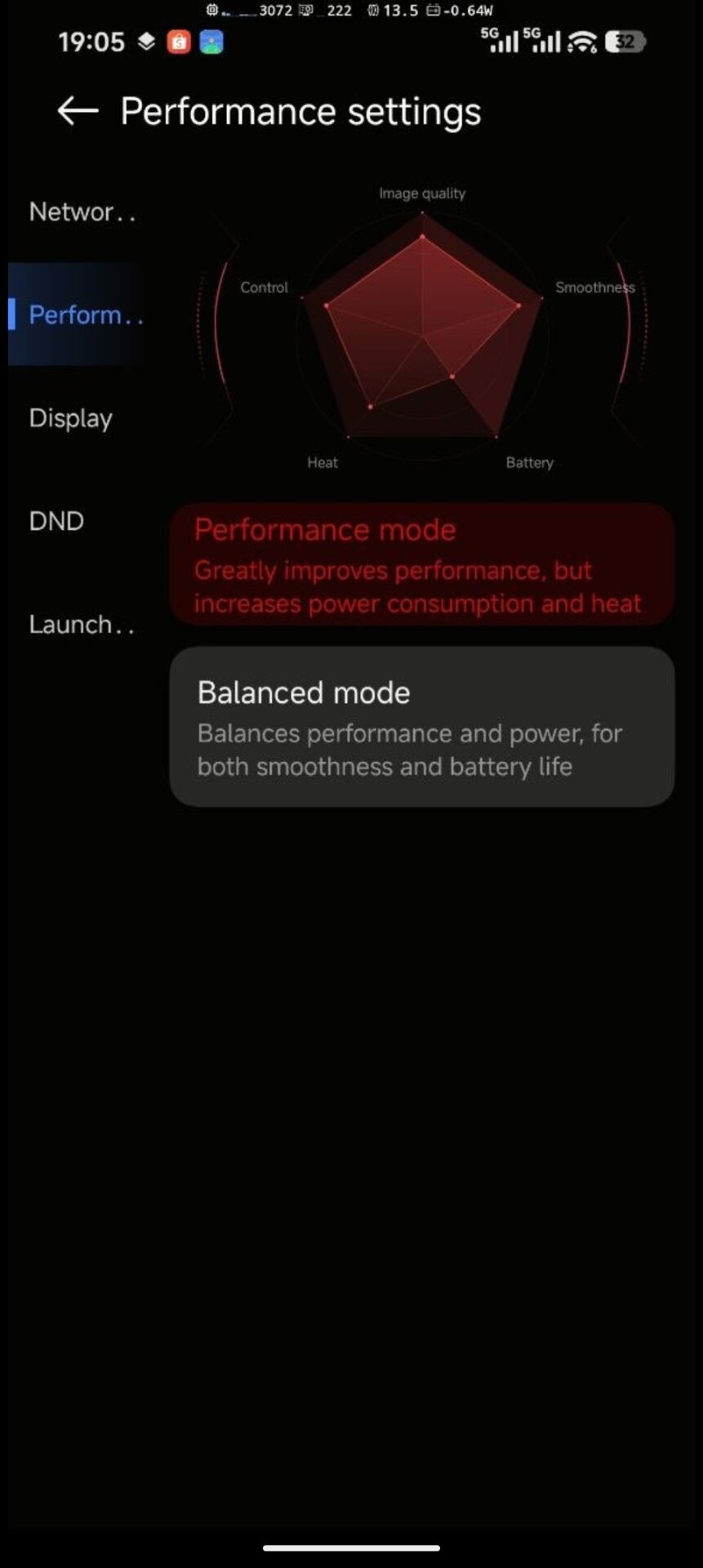
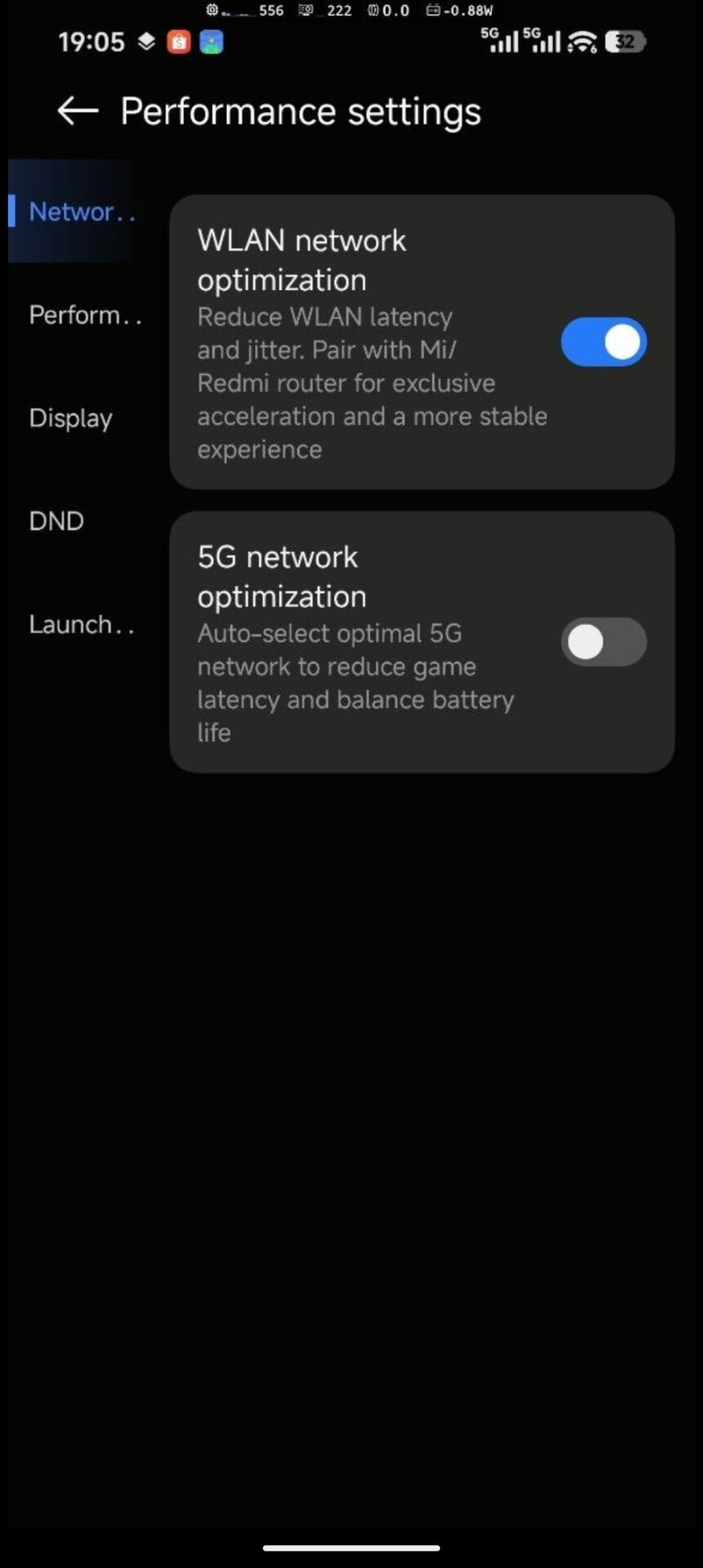
Xiaomi has released a new HyperOS 3.1 Security app update with version 12.6.8-260609.0.1, bringing a redesigned settings interface and expanded gaming performance controls. Although the update is currently available only in English and Chinese, it can still be installed and used on Global ROM devices. The biggest visible change is the refreshed Performance settings menu, which now offers more detailed controls for network optimization, display tuning, DND behavior, GPU parameters, and game launch features.
What’s New in This Update
The new Security app version introduces a more modern and organized layout for Xiaomi’s game performance tools. Instead of showing basic performance toggles only, HyperOS 3.1 now separates features into clearer categories such as Network, Performance, Display, DND, and Launch.
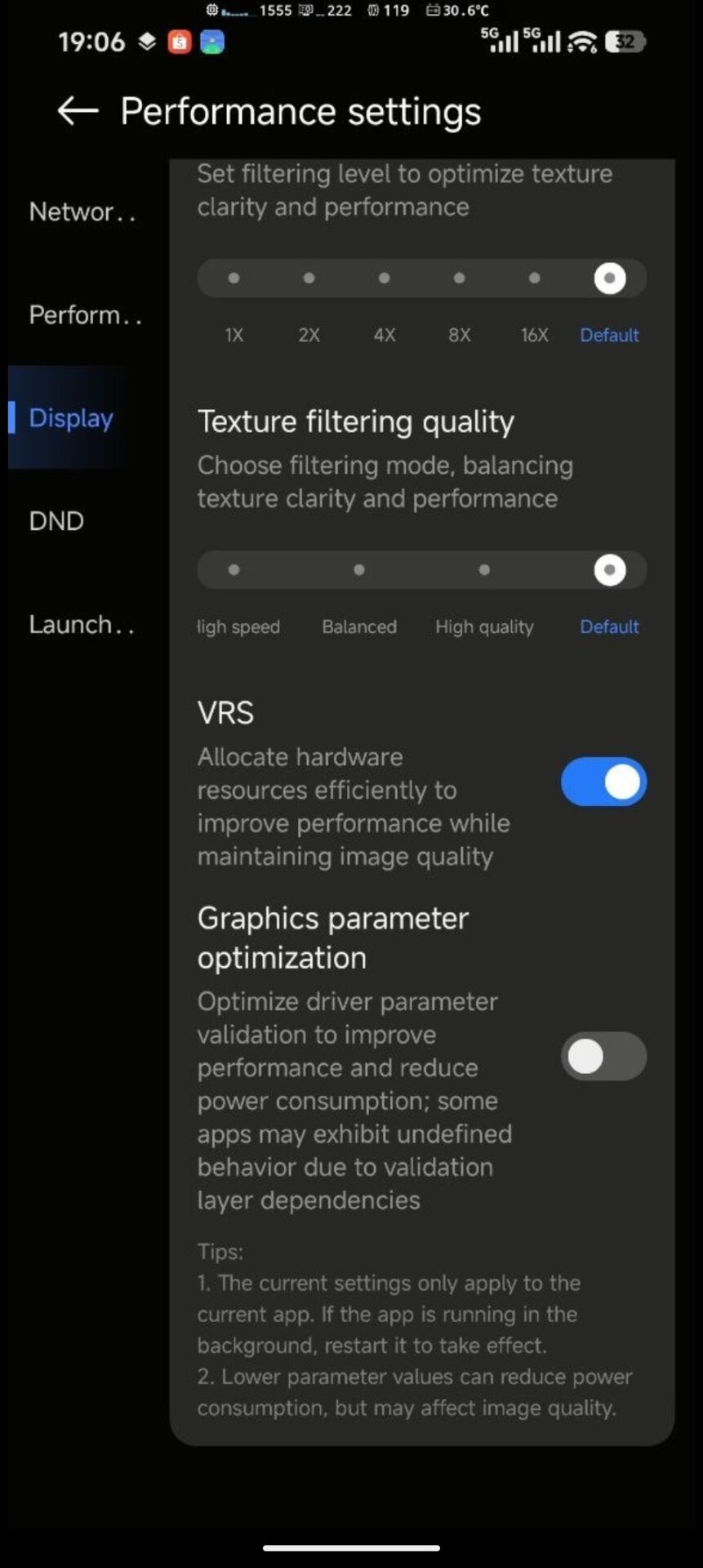
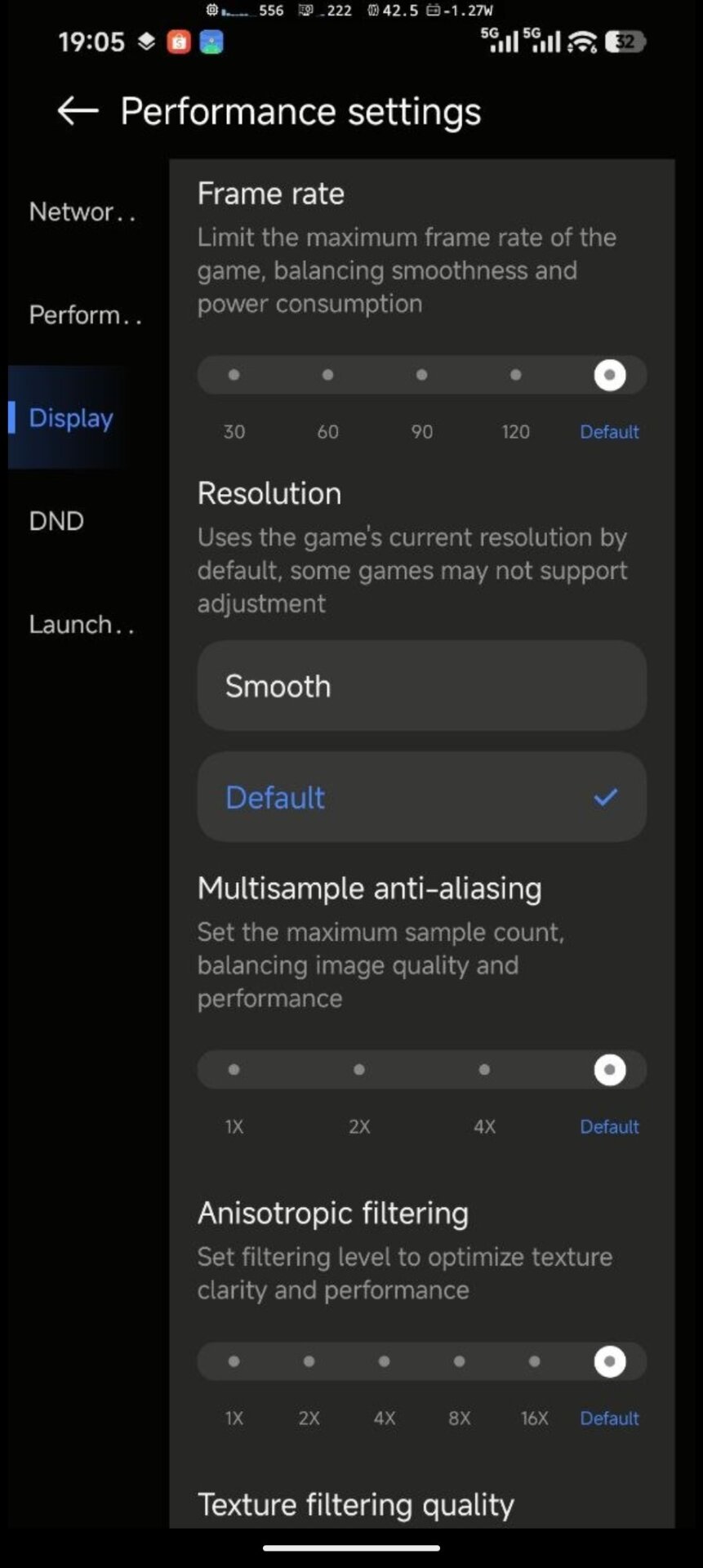
One of the most important changes is the expanded Display section. Users can now adjust game-related visual options such as frame rate limit, resolution mode, multisample anti-aliasing, anisotropic filtering, texture filtering quality, and VRS. These settings are designed to balance image quality, smoothness, battery life, and heat depending on the selected profile.
The update also adds or refreshes several gaming-focused features:
- WLAN network optimization to reduce latency and jitter
- 5G network optimization for better gaming network selection
- Performance mode and Balanced mode profiles
- Picture style options such as None, Saturated, Bright, and Bright & saturated
- GPU settings with visual performance balance indicators
- VRS support to improve performance while maintaining image quality
- Graphics parameter optimization for driver-level tuning
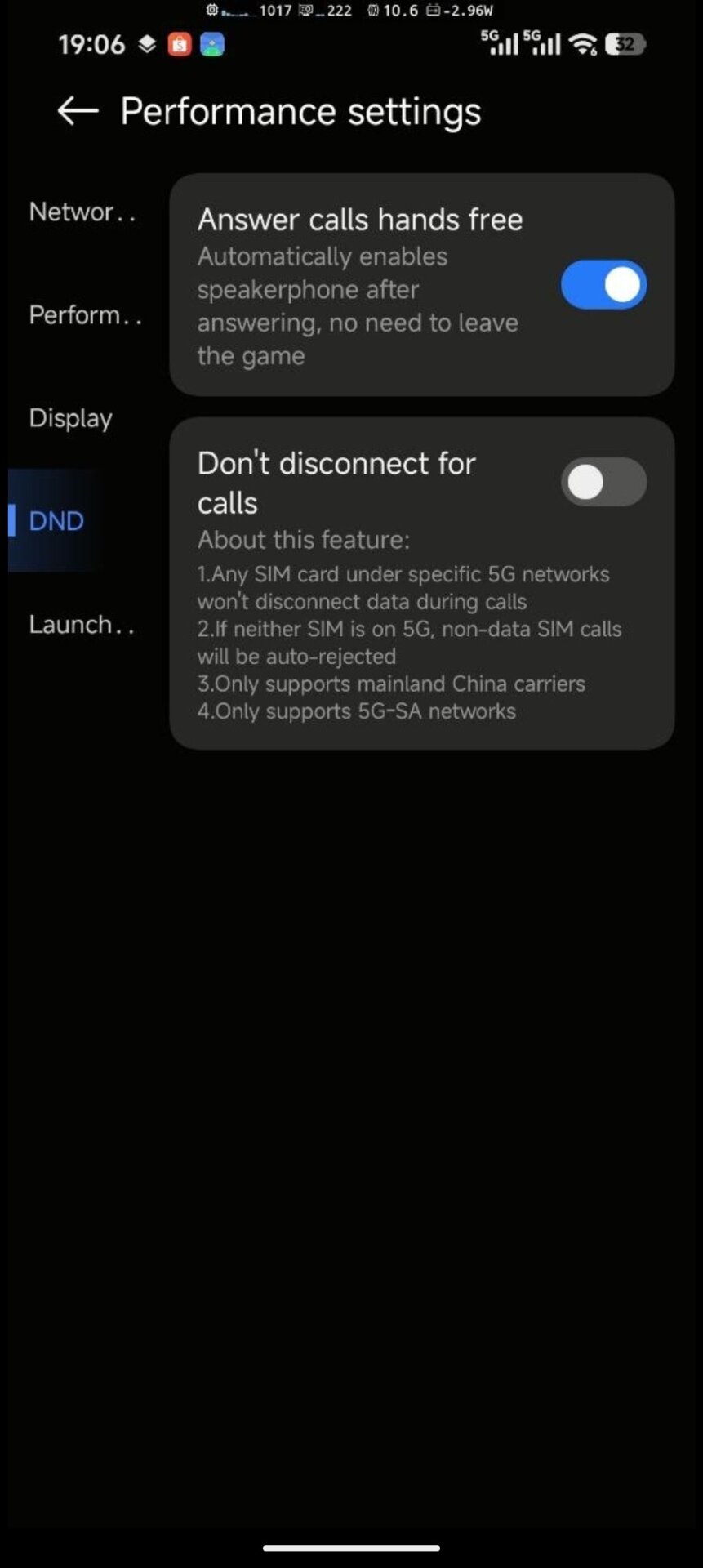
- Answer calls hands free during gameplay
- Don’t disconnect for calls, limited to specific 5G-SA network conditions in mainland China
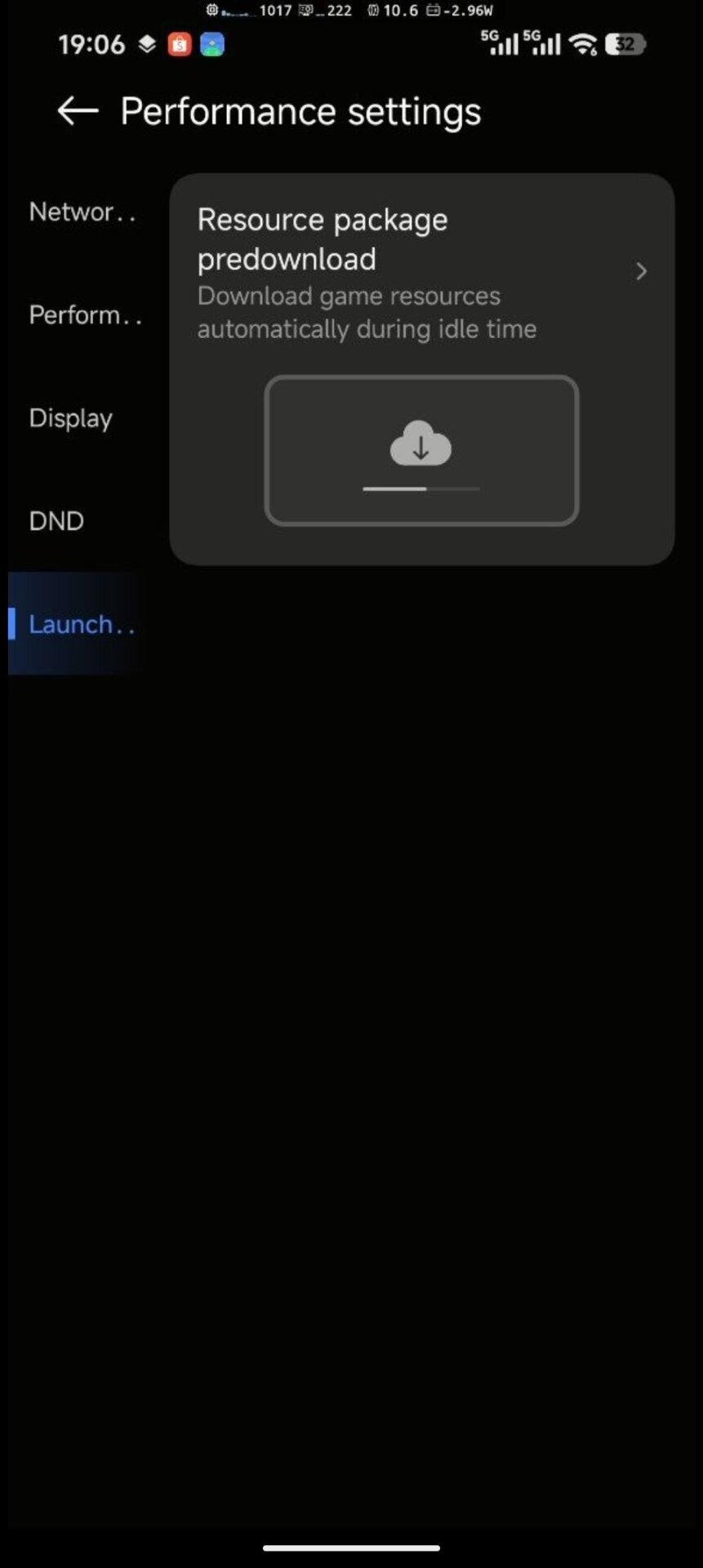
- Resource package predownload for automatic game resource downloads during idle time

How the Update Improves the System
For users who play games on Xiaomi, REDMI, and POCO devices, this update gives much deeper control over performance behavior. The redesigned interface makes it easier to understand how each setting affects the gaming experience. Users can choose higher performance for smoother gameplay, or lower graphics parameters to reduce heat and power consumption.
The new GPU and display controls are especially useful because they allow per-game tuning. HyperOS notes that current settings apply only to the selected app, and some changes may require restarting the game if it is already running in the background. This makes the feature more flexible than a single system-wide performance switch.
However, users should also be careful with experimental options such as Graphics parameter optimization, as the menu warns that some apps may show undefined behavior due to validation layer dependencies.
How to Download the Update
The HyperOS 3.1 Security app update version 12.6.8-260609.0.1 can be downloaded through the MemeOS Enhancer app or directly from MemeOSUpdates.com. Since the app currently supports only English and Chinese, users should expect some menus to remain untranslated depending on their system language.



when will Redmi 13C 8GB will get game turbo.
when will Redmi 13C 8GB will get game turbo. pls tell me I don’t have game turbo in hyperOS
13t hyper os 3 update plzzzzzzzzzzzz. shame on yours
When will the Redmi 13C update to Hyper OS 3? I haven’t received the update yet.
You think you will get an update, lick your palm. It’s been 7 months since the update for 13s, it hasn’t come. Shame on the fake company.
Hello, I updated but there is no such interface in game turbo, the old one remains. Please help.
Hello, I updated but there is no such interface in game turbo, the old one remains. Please help.
Hello, I updated but there is no such interface in game turbo, the old one remains. Please help.
Hello, I updated but there is no such interface in game turbo, the old one remains. Please help.
game turbo of POCO X6 5G VCS COULD ALSO IMPROVE
com.miui.securitycenter
Waiting is very bad, where is the Hyperos 3 for the Mi 13T, this is absurd.
Waiting is very bad, where is the Hyperos 3 for the Mi 13T, this is absurd.
Waiting is very bad, where is the Hyperos 3 for the Mi 13T, this is absurd.