


Two years after the initial shockwaves of the “3A Game Virtual Machine” entering internal testing, Xiaomi has silently revived the project. The highly anticipated PC gaming emulator, officially known by its package name com.xiaomi.winplay (WinPlay), has just received a mysterious new update. This marks the first major sign of life for the application since it was initially introduced to allow the Xiaomi Pad 6S Pro to run PC-level AAA games natively.
The “Silent” Drop & Technical Potential
The newly released version, 1.0_a33644a36_r373, brings the WinPlay engine out of a 24-month dormancy. Back when it originally launched as a core component of the “AI Treasure Box,” the goal was incredibly ambitious: seamless integration of desktop-class games using tablet hardware, complete with robust keyboard and game controller peripheral support.
Because Xiaomi has completely hidden the official changelog for this release, our current technical assessment points toward deep, under-the-hood stability patches. It is highly likely that this update transitions the core emulation architecture to be fully compatible with modern Xiaomi HyperOS frameworks. While the app is fundamentally designed to harness the thermal headroom and larger aspect ratios of the Xiaomi Pad series, this specific APK is not hardware-locked—meaning enthusiastic users can now sideload and test the emulator on their smartphones.
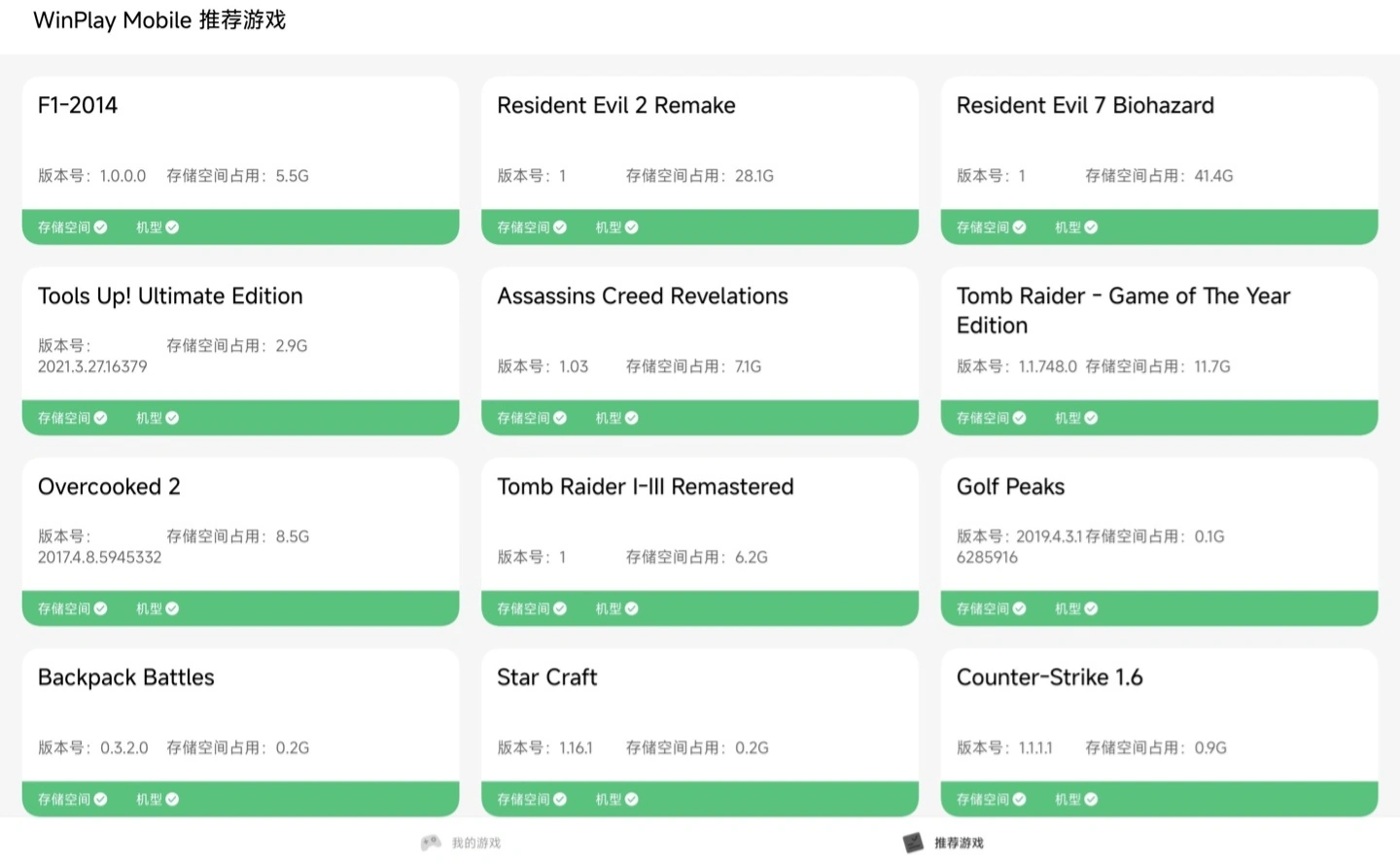
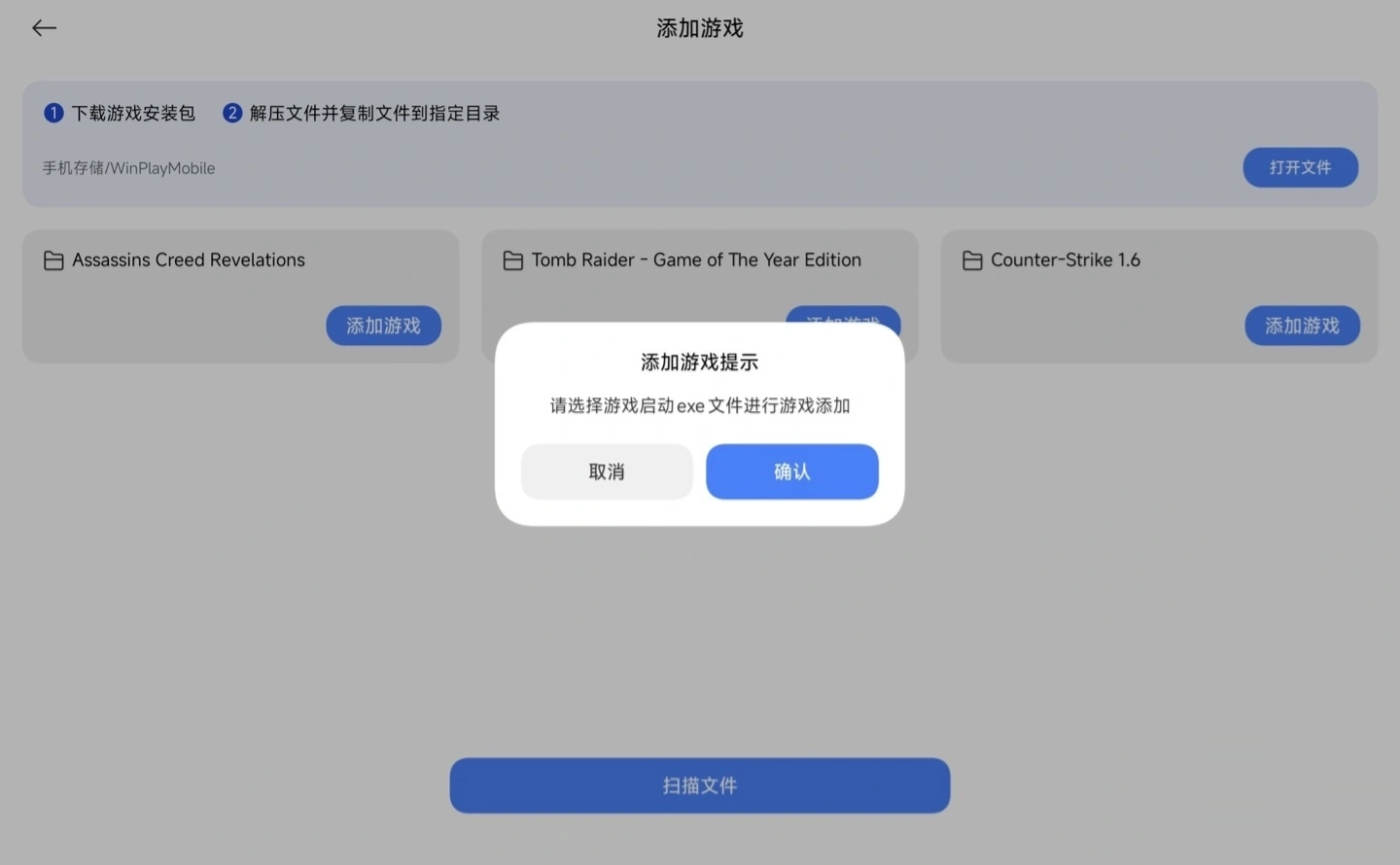
System Improvements
Even without a public list of new features, pushing a significant engine update after a two-year gap strongly indicates that Xiaomi has not abandoned its pursuit of a unified PC-to-mobile gaming ecosystem. For end-users, this package likely contains the foundational translation layers (similar to Wine or Proton architectures) required to execute complex PC binaries on ARM-based processors.
By sideloading the app onto a REDMI or POCO smartphone, mobile gamers finally have a chance to tinker with Xiaomi’s proprietary AAA emulation tool. However, due to the lack of official smartphone optimization, users should anticipate unoptimized screen scaling and potential controller mapping bugs. For tablet users, this could be the quiet dawn of a new era of portable PC gaming. To stay ahead of the curve, download the latest WinPlay update on MemeOSUpdates.com, and be sure to utilize the MemeOS Enhancer app to keep your device fully optimized for cutting-edge HyperOS features.


once installed it went missing please provide tutorial
It’s installed but no icon appears. Can you provide instructions on how to use it?
It’s installed but no icon appears. Can you provide instructions on how to use it?