


Xiaomi has officially introduced HyperOS 4, its next major update release for Xiaomi, REDMI, and Xiaomi Pad devices. The update is built around three areas: system performance, a redesigned “Soft Light Glass” interface, and Super XiaoAi 2.0 powered by Xiaomi MiMo models.
The official HyperOS 4 adds many details beyond the initial feature cards. It confirms new lock-screen controls, redesigned home-screen organization, performance measurements, cross-device tools, AI content generation, privacy controls, and a first beta wave for Xiaomi 17, REDMI K90, and Xiaomi Pad 8 series devices.
The announced features and rollout information currently apply to the China version of HyperOS 4. Several AI services rely on Super XiaoAi and China-specific applications, so their availability on Global, EEA, India, Turkey, or other regional ROMs has not been confirmed.
Performance Improvements
HyperCore workload calculation reduces unnecessary processing
HyperOS 4 updates Xiaomi’s low-level HyperCore optimization layer with what the company calls precise workload calculation. The system monitors workloads across the processing chain and optimizes the instructions used for individual tasks.
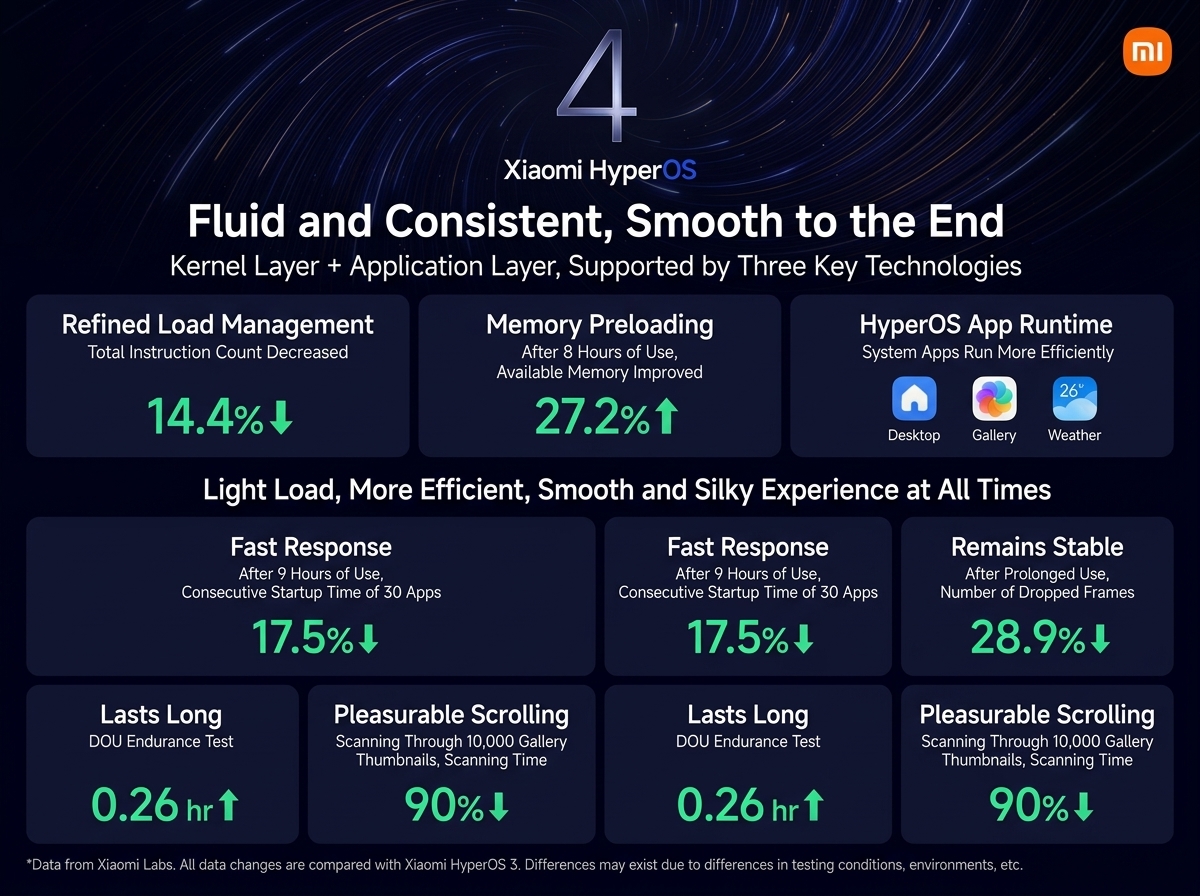
Xiaomi says the total instruction count is reduced by 14.4% compared with HyperOS 3. In practical terms, this should mean the system needs less processing work for everyday actions such as opening apps, switching between screens, loading system components, and handling background activity.
This is not a simple CPU-speed upgrade. The focus is on reducing waste before the device needs to use more CPU power, memory bandwidth, or battery. Xiaomi presents it as a core-level change that works alongside optimizations inside system applications.
AI memory preloading improves available RAM after long use
HyperOS 4 adds a new memory preloading system. Xiaomi says it uses AI prediction to proactively organize memory and prepare RAM based on likely user needs.
Rather than waiting for an app to be opened and then freeing memory, the system can predict a likely next task, clean less important background activity, and keep the required resources ready. Xiaomi claims that after eight hours of use, available memory increases by 27.2% versus HyperOS 3.
The intended benefit is better app retention and fewer reloads after a phone has been used for several hours. It should be especially useful when frequently switching between messaging, social media, camera, browser, map, and productivity apps.
Faster multi-app launching after extended use
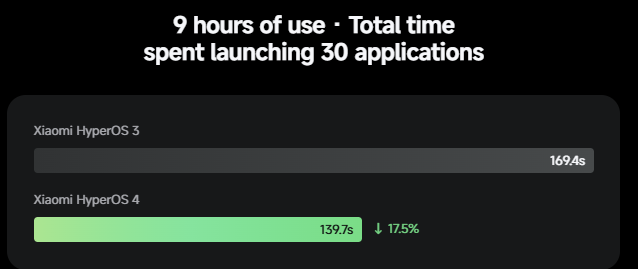
Xiaomi measured the time required to launch 30 applications in succession after nine hours of device use. HyperOS 4 reduced the launch time by 17.5% in this test.
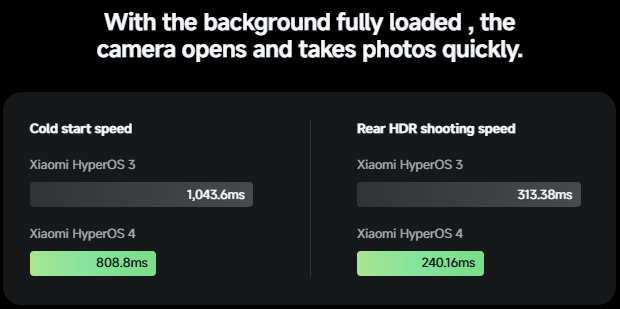
This metric matters because phones often feel fast when freshly restarted but slow down after a full day of multitasking. Xiaomi’s claim is that HyperOS 4 is designed to maintain quick response times instead of concentrating only on peak performance during short benchmark-style tests.
The improvement is linked to the new workload calculation and memory preloading systems. However, Xiaomi does not state a universal launch-time figure in seconds, and the result will vary by device hardware, storage condition, installed apps, and available RAM.
Lower frame-drop rate in long sessions
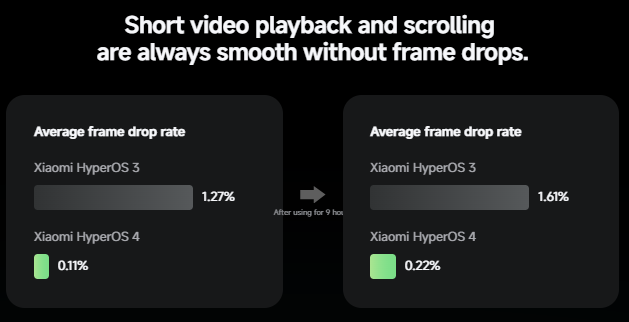
HyperOS 4 also targets smoothness during extended use. Xiaomi reports a 28.9% reduction in frame drops after long-term use.
Its official comparison gives more detail: after nine hours, the average frame-drop rate in the tested scenario was 0.22% on HyperOS 4, compared with 1.61% on HyperOS 3. Before the nine-hour mark, Xiaomi lists 0.11% for HyperOS 4 and 1.27% for HyperOS 3.
This should affect scrolling, system animations, app transitions, feed browsing, and other UI-heavy actions. The company specifically frames it as a “smooth to the end” improvement rather than a short-term animation change.
Faster gallery scrolling for very large photo libraries
The Gallery app is one of the clearest application-level examples. Xiaomi says the time required to scan to the bottom of a gallery containing tens of thousands of thumbnails is reduced by 90%.
Large photo libraries can become slow because the phone needs to read, index, cache, and display many thumbnail previews while scrolling. HyperOS 4 appears to optimize this path so thumbnails remain available more quickly when browsing old photos.
This is relevant for users who take a large number of photos, transfer media from other devices, or keep years of images stored locally.
Small but measurable battery-life gain
Xiaomi lists a 0.26-hour improvement in its DOU battery-life test, equal to roughly 15.6 minutes.
This is a modest gain, but it is important that Xiaomi presents it alongside improved responsiveness and memory availability. The goal is not only to make the system more aggressive in keeping apps alive; it is also to prevent that behavior from creating a major battery penalty.
As with every official performance figure, Xiaomi notes that its numbers are measured in its own laboratory conditions and compared with HyperOS 3 on similar platforms. Real-world results will differ by model and usage pattern.
UI Improvements
“Life Aesthetics” is HyperOS 4’s new visual direction
Xiaomi calls HyperOS 4’s design language Life Aesthetics. The company describes the concept as an interface that feels more responsive to light, space, movement, and the content shown on screen.
The key visual material is called Soft Light Glass. It is not a new physical display layer. It is a system interface design based on translucent surfaces, soft reflections, layered cards, blur, adaptive transparency, and interaction-driven lighting.
The result is a more fluid visual system across the lock screen, home screen, Control Center, folders, widgets, and system applications.
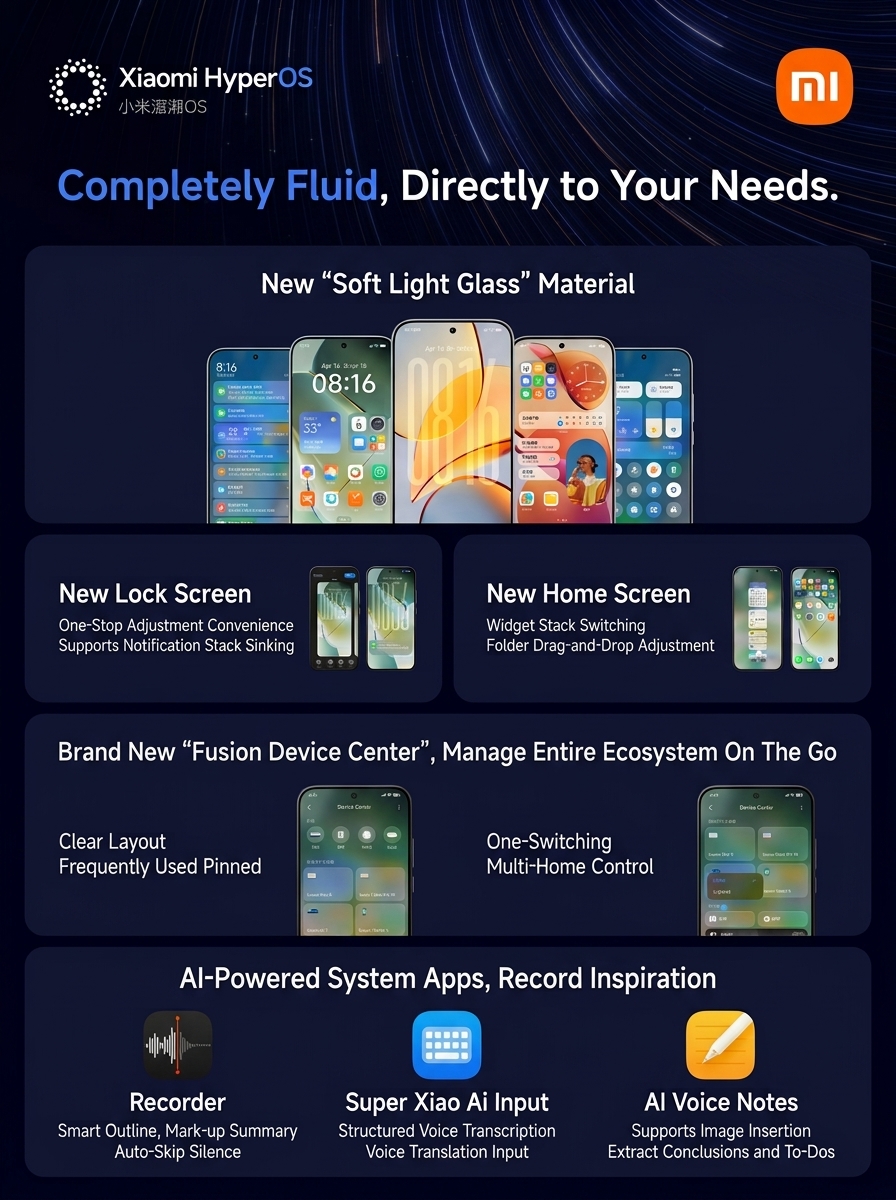
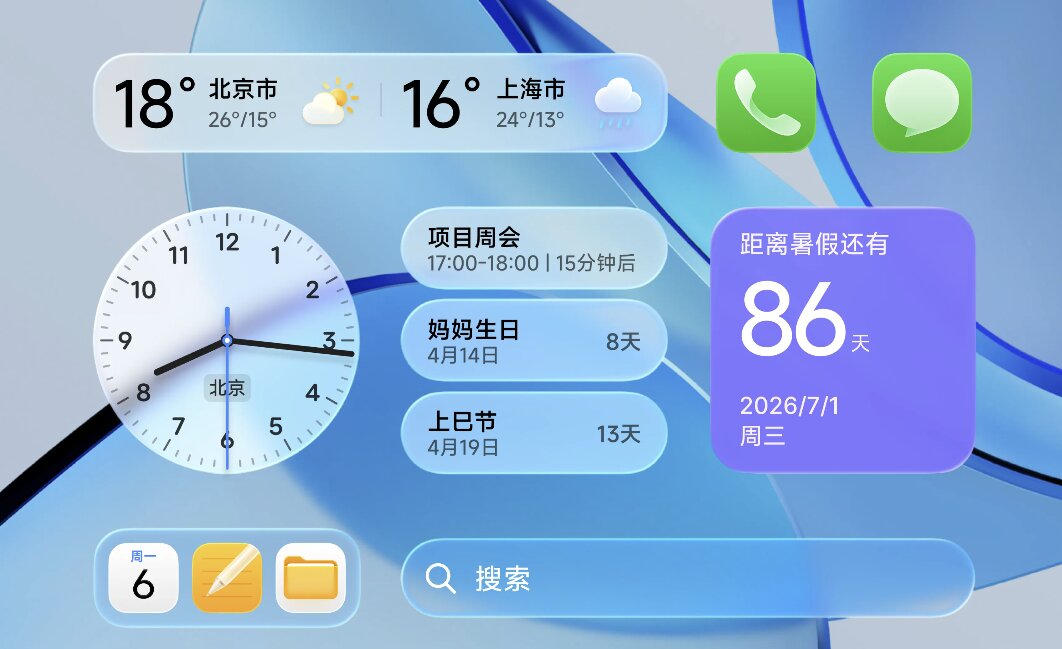
Soft Light Glass adapts to content and light effects
The official site describes Soft Light Glass as a “breathing material.” Its behavior changes with the displayed content rather than using one fixed transparency level everywhere.
According to Xiaomi, the new material system includes:
- Adaptive transparency that changes based on surrounding content
- Clearer visual separation between layers
- Dynamic light effects when interacting with controls
- Lighting that follows drag gestures
- More natural transitions while moving folders, widgets, and interface elements
The purpose is to keep controls readable while allowing wallpaper colors and underlying content to influence the interface. This is why HyperOS 4 screenshots show semi-transparent panels with stronger depth and light effects than earlier HyperOS versions.

New lock screen with flexible clock controls
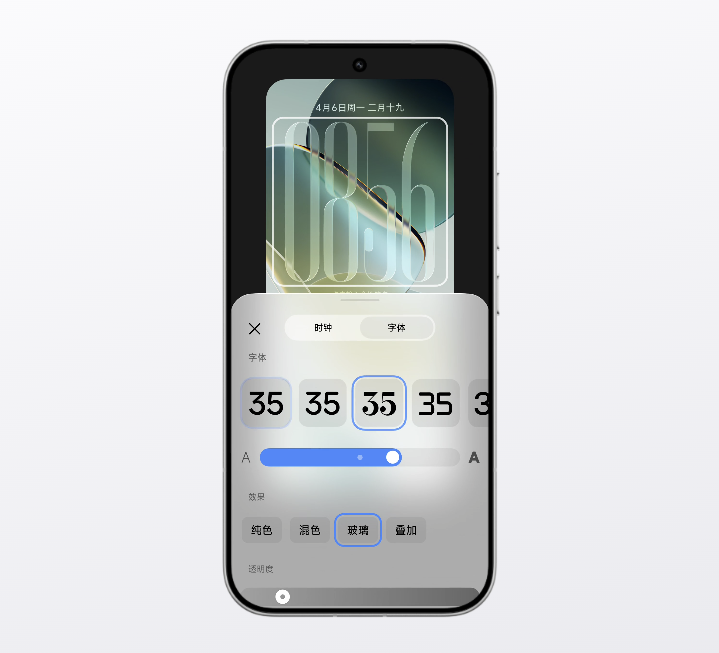
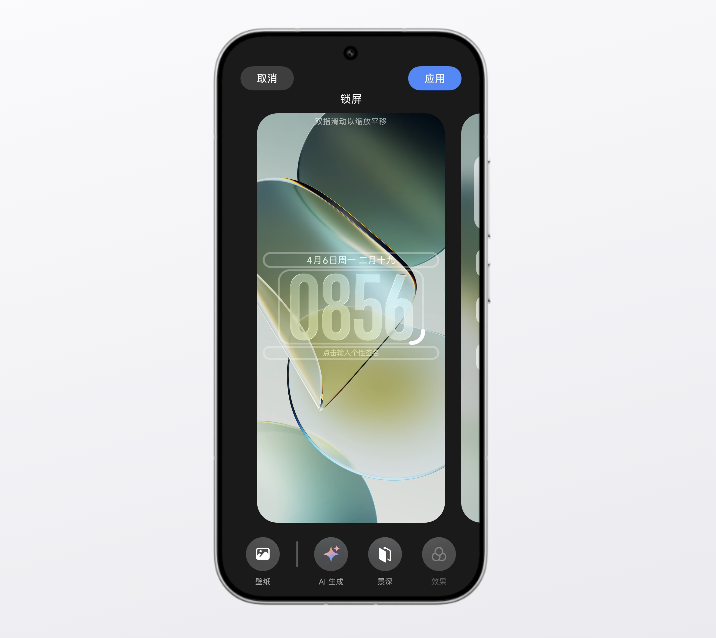
HyperOS 4 introduces a redesigned lock-screen system with easier one-stop customization. Xiaomi shows larger time layouts, new widget arrangements, and layered visual effects that match the wallpaper.
A key change is the new flexible lock-screen clock. The clock can be adjusted more freely on supported phones, while some flagship models will also receive a glass-style clock effect.
Xiaomi notes that flexible clock controls will not be available on every device. Tablets and some entry-level smartphones are excluded, while the advanced glass clock effect is limited to selected flagship phones.
Stacked notifications improve lock-screen organization
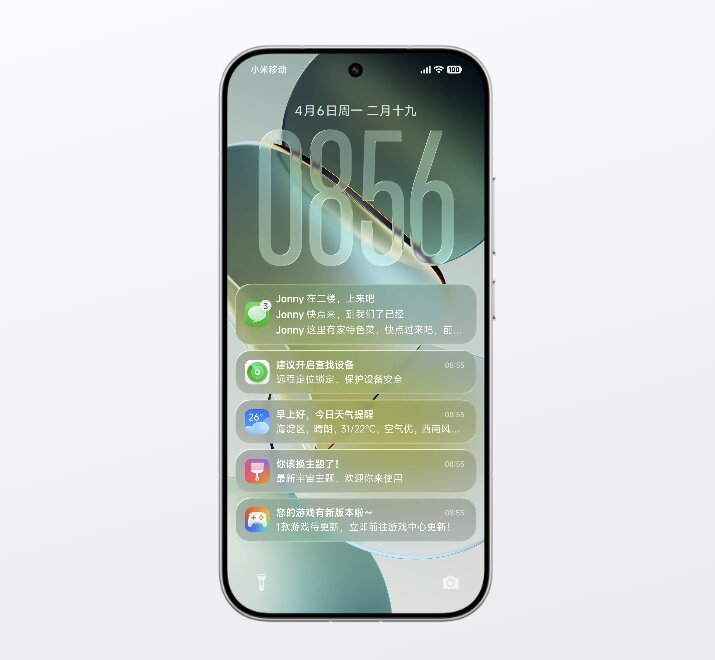
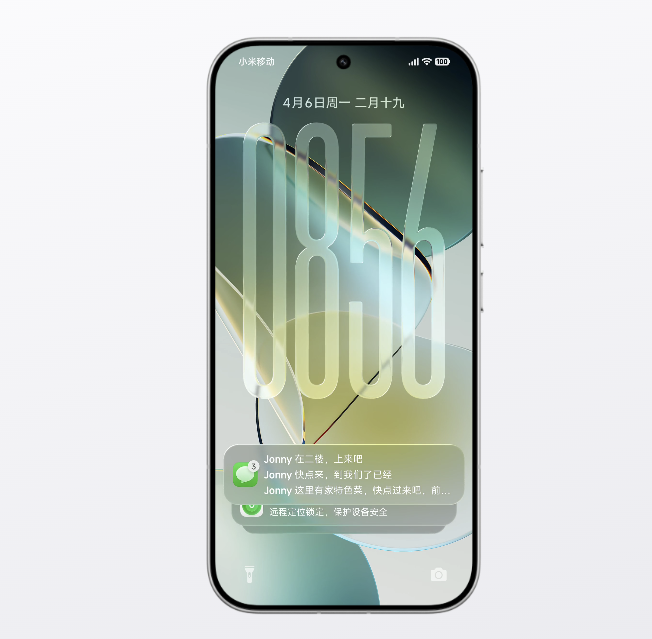
The new lock screen supports stacked notifications. Instead of filling the screen with separate notification cards, related notifications can be grouped in a more compact stack.
This approach should make the lock screen easier to read when several apps send alerts at the same time. It also leaves more visual space for the wallpaper, clock design, and lock-screen widgets.
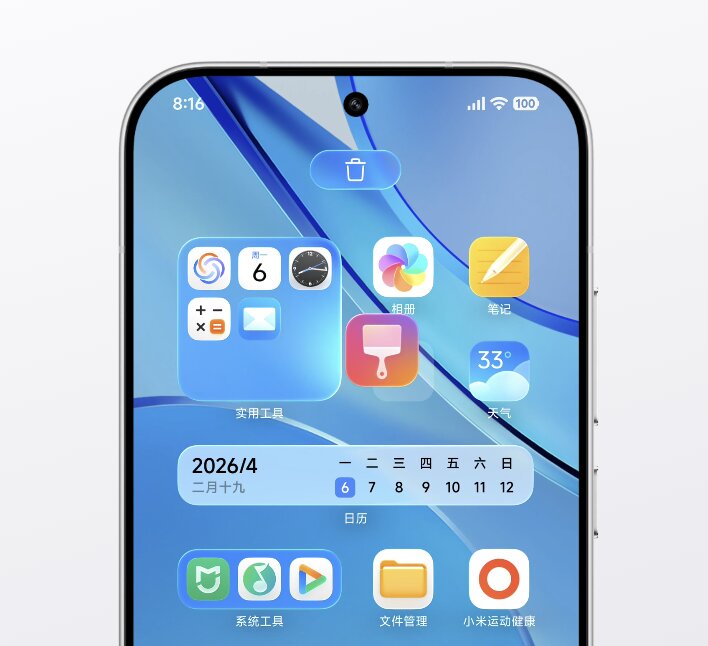
New home screen with widget stacks and folder editing
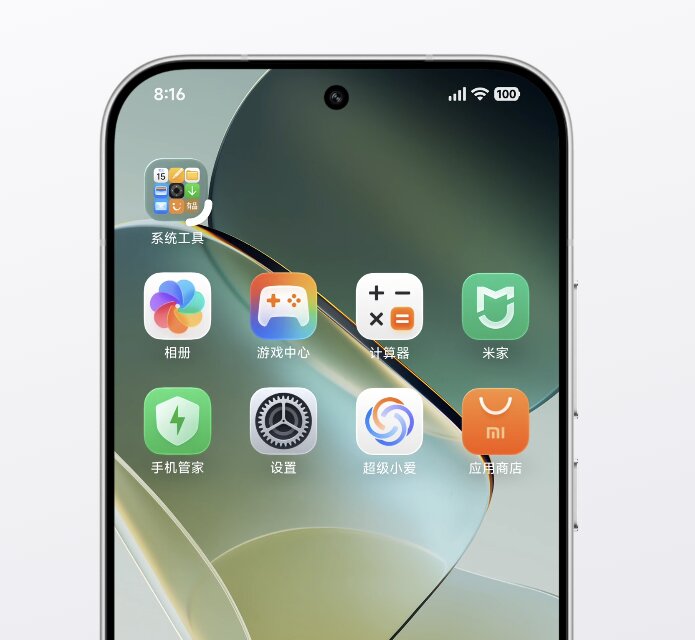
HyperOS 4 refreshes the home screen with more flexible organization tools. Xiaomi highlights:
- Widget stacking and switching
- Drag-and-drop folder adjustment
- New folder transition effects
- More responsive movement while rearranging items
- Refreshed system app icons and layouts
Widget stacking allows more than one widget to occupy the same home-screen area, with users able to switch between them. Xiaomi also shows folders and widgets reacting more naturally to drag gestures, with light effects that follow the movement path.
The interface is designed to make a dense home screen more manageable without requiring every widget to remain visible at once.
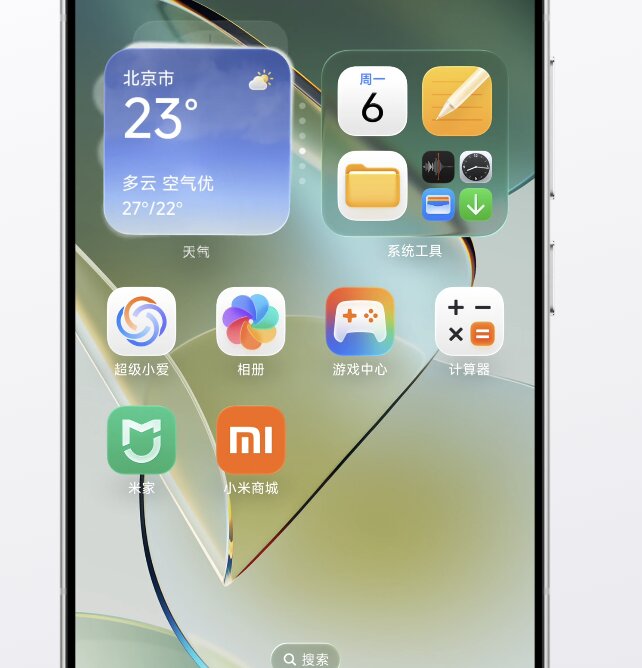
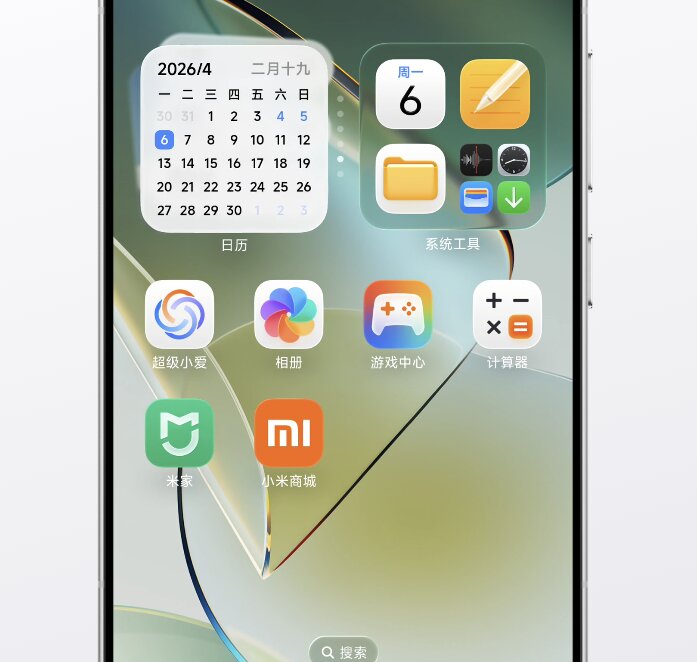
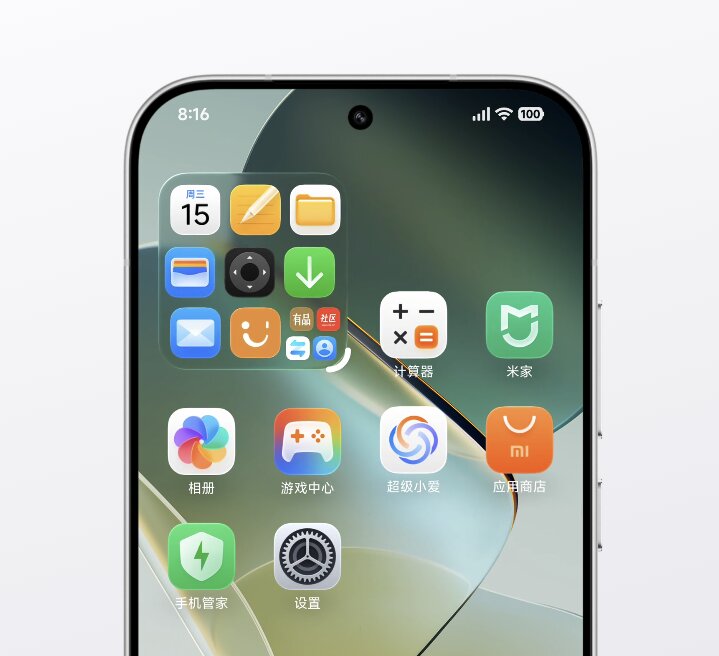
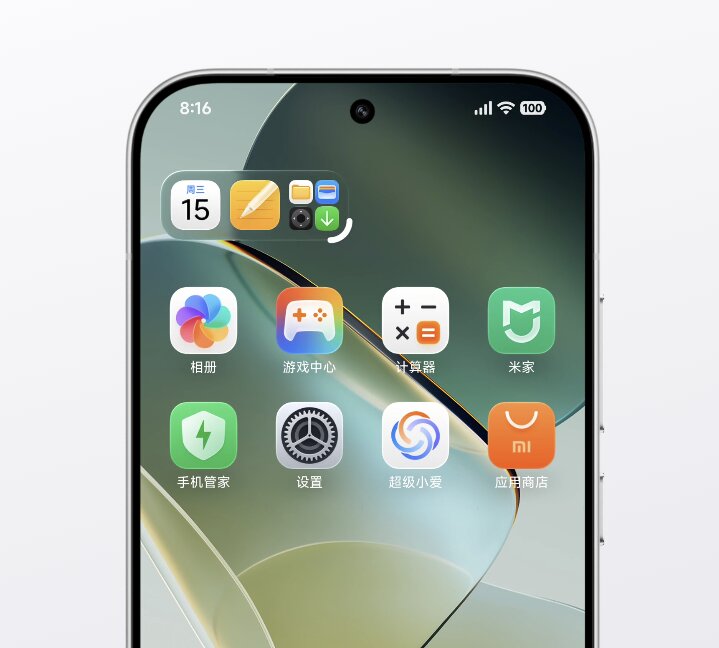
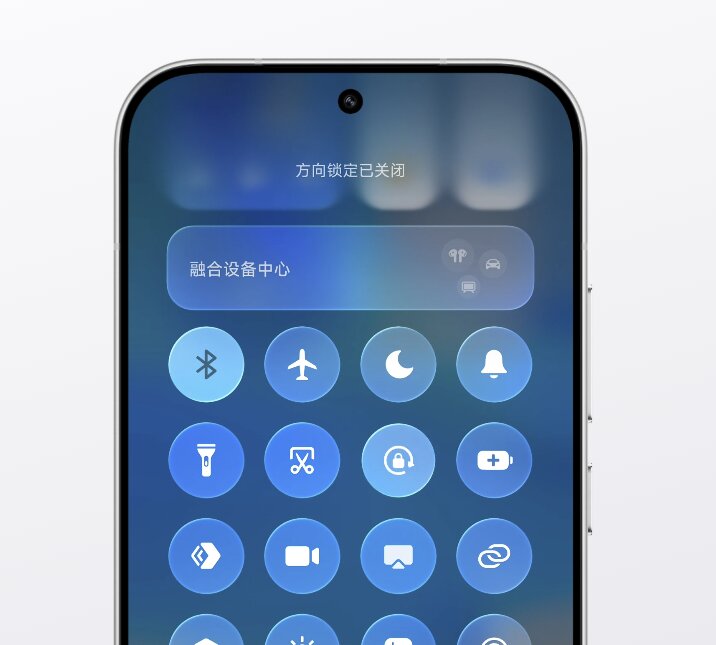
Redesigned Control Center and Weather app
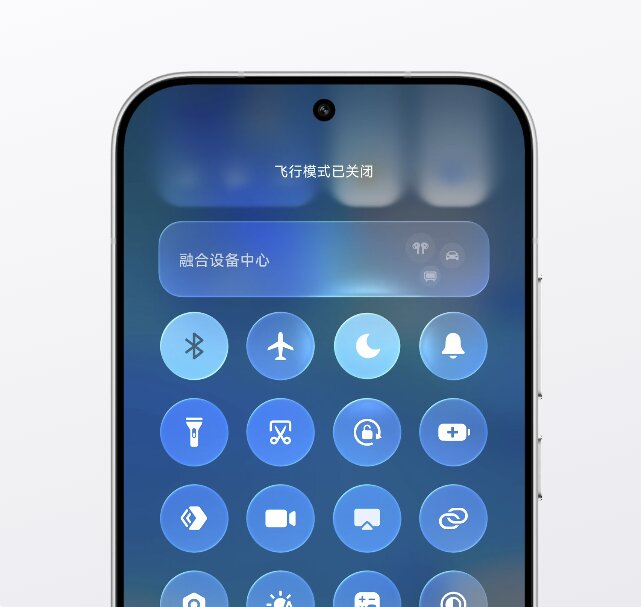
The Control Center adopts the new Soft Light Glass style. The quick-setting buttons appear as rounded, layered elements with enhanced light response when touched.
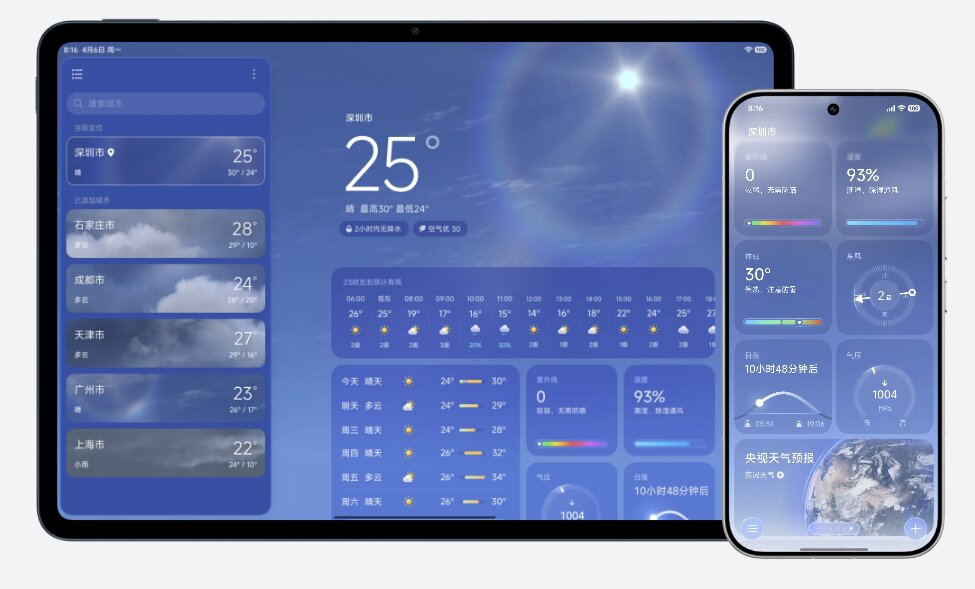
Xiaomi also shows a redesigned Weather app. The official description says the interface presents information more directly and uses more vivid dynamic effects. The new visual style is consistent with HyperOS 4’s broader emphasis on responsive lighting, translucency, and clearer hierarchy.
System apps receive layout and interaction updates
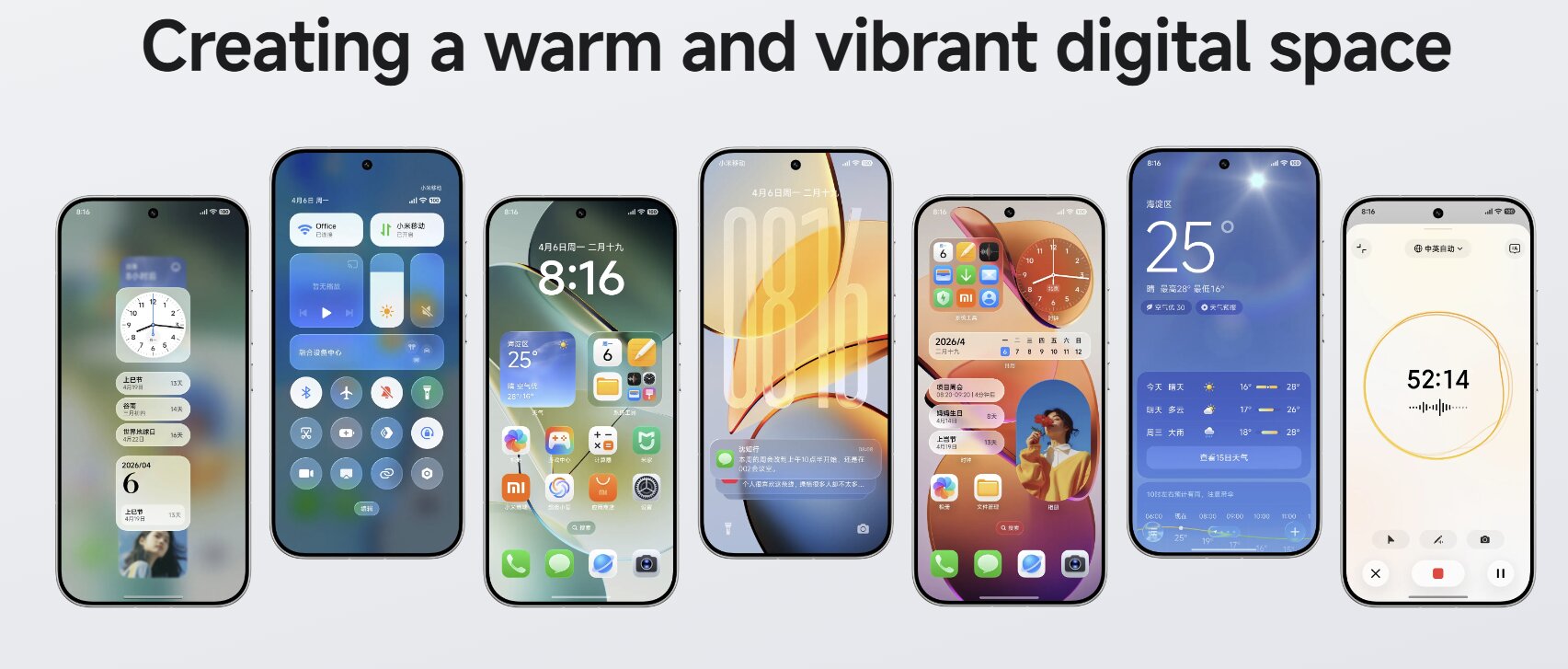
The official HyperOS 4 page shows more than a visual refresh for the launcher. Xiaomi includes interface changes for several built-in apps and services, including:
- File Manager
- Contacts
- Gallery on Xiaomi Pad
- Notes
- Weather
- Control Center
- Lock-screen widgets and notification cards
These updates are part of the new application-interface refresh. Xiaomi warns that the exact visual effect may vary by system version and device model, especially on lower-end hardware.
Ecosystem and Cross-Device Improvements
New Fusion Device Center
HyperOS 4 redesigns the Fusion Device Center, Xiaomi’s control hub for connected phones, tablets, computers, wearables, smart-home products, and vehicles.
The new version offers a clearer layout, lets users pin frequently used devices, and supports one-tap switching between multiple homes. This is useful for users who manage devices in more than one location, such as a home and office or two separate family households.
The refreshed Fusion Device Center requires HyperOS 4 and Mi Home version 11.6 or later.
Xiaomi phone dual-holding feature
Xiaomi is also adding a dual-phone feature for users who own two Xiaomi phones signed in with the same Xiaomi account. Calls and verification codes can be synchronized in real time, allowing either device to be used to respond.
The feature is designed for Xiaomi Digital, Xiaomi Flip, Xiaomi MIX, Xiaomi CIVI, REDMI K, and REDMI Turbo series devices. Both phones need to be online, connected to the same Xiaomi account, and configured through the cross-device notification settings.
This is more than simple notification mirroring because Xiaomi specifically mentions phone calls and SMS verification codes as supported content.
Cross-device capabilities continue through HyperConnect
HyperOS 4 expands the user interface for Xiaomi HyperConnect rather than replacing it with a separate platform. The wider ecosystem includes device-to-device control and the ability to use the most suitable hardware capability across connected devices.
Xiaomi’s official HyperConnect material includes use cases such as:
- Using a connected device camera from another Xiaomi device
- Sharing phone connectivity with a tablet
- Operating a Xiaomi phone from a computer
- Casting a phone screen to a TV with picture-in-picture support
- Calling a Xiaomi Pad for drawing inside WPS on a PC
- Connecting Xiaomi devices with iPhone, iPad, Mac, and Windows devices
- Coordinating phones, wearables, vehicles, and smart-home products
Actual features depend on supported models, installed applications, device region, and the versions of Xiaomi’s connectivity services.
AI Improvements
Super XiaoAi 2.0 is based on Xiaomi MiMo
HyperOS 4 introduces Super XiaoAi 2.0, which Xiaomi describes as a major upgrade to its AI assistant. It is based on Xiaomi MiMo large models, with the official metadata specifically referencing Xiaomi MiMo V2.5.
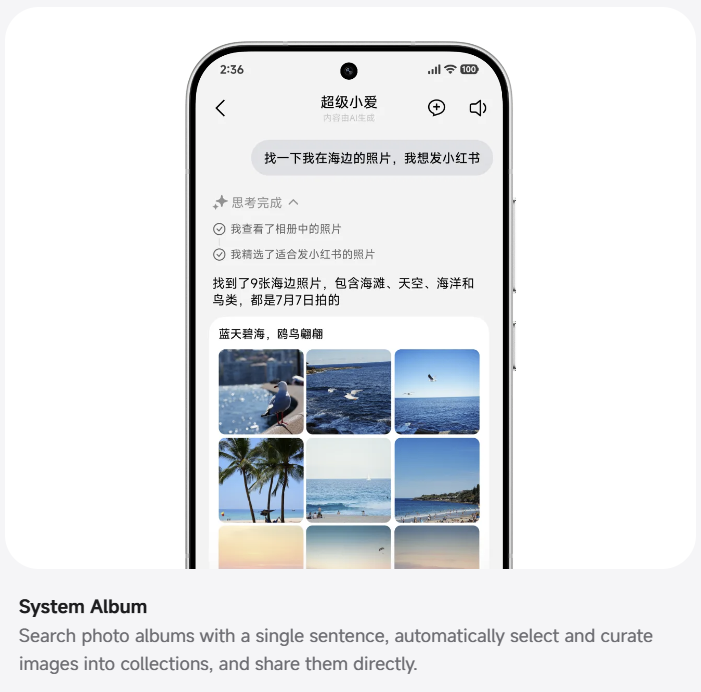
The main change is a shift from one-command answers to more active task completion. Xiaomi calls the new approach a way for the AI to cooperate with the user across applications, devices, schedules, documents, and smart-home tools.
Many of these functions are part of Expert Mode, which is available only on selected devices and requires Super XiaoAi version 8.1 or later.
Inspiration Ball understands content on screen
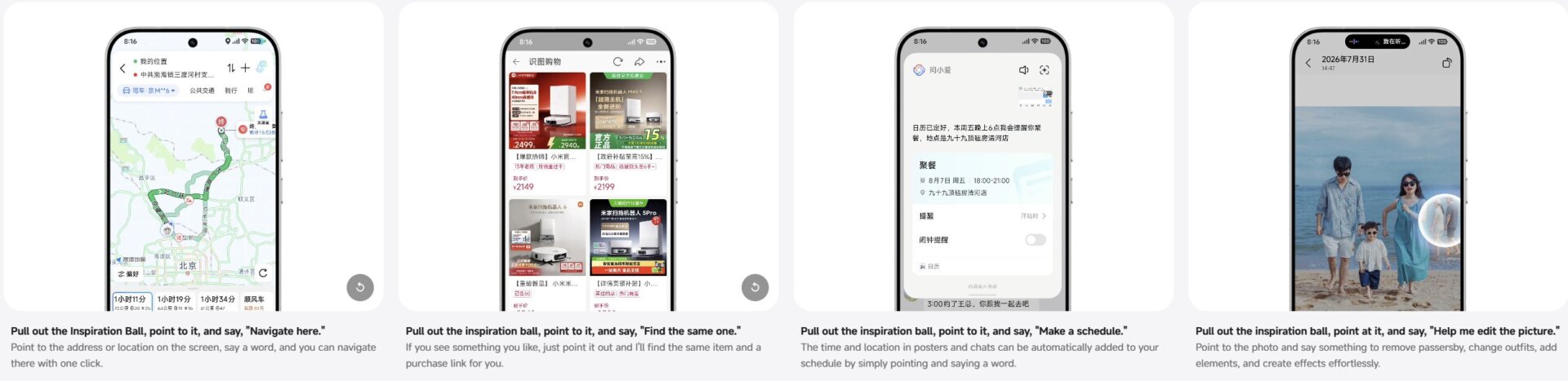
One of the new interaction methods is the Inspiration Ball. It is designed to identify user intent from an address, time, image, chat message, poster, or other on-screen content.
Xiaomi shows several practical examples:
- Point at an address and ask for navigation
- Point at a product and find matching items and purchase links
- Point at a time and location in a chat or poster to add it to the calendar
- Point at a photo and ask AI to remove people, change clothing, or add elements
The feature can be enabled through Settings > Home screen > System navigation mode > Side swipe and hold functions, then by turning on Super XiaoAi Inspiration Ball.
Xiaomi says Inspiration Ball is expected to arrive through an OTA update in September. It is disabled by default and may not be available on every HyperOS 4 device.
HyperIsland keeps live tasks visible
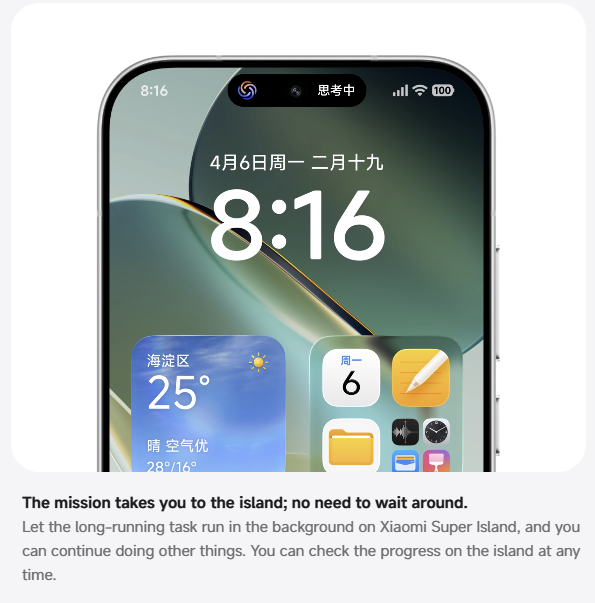
HyperOS 4 expands Xiaomi’s island-style live activity area with HyperIsland. It is meant to show the state of ongoing tasks without interrupting the current app.
For example, a navigation task, delivery status, transaction, or another live service can remain visible at the top of the screen while the user continues doing something else. Xiaomi says this makes the task state clearer and helps avoid losing track of a process after switching apps.
The official footnotes state that Xiaomi’s Super Island ecosystem already supported more than 130 services as of July 31, 2026. Support is based on individual service scenarios and applications, so users must update compatible apps to access the latest Island functions.
Code and Number Island supports quick actions
HyperOS 4 also adds Code and Number Island. Xiaomi demonstrates a three-finger upward gesture that turns recognized numbers, codes, QR codes, tickets, and similar information into quick-action cards.
The examples show transport details and QR code content being surfaced for faster use. This could reduce the need to manually copy numbers, open a separate scanner, or search for a booking code after it appears on screen.
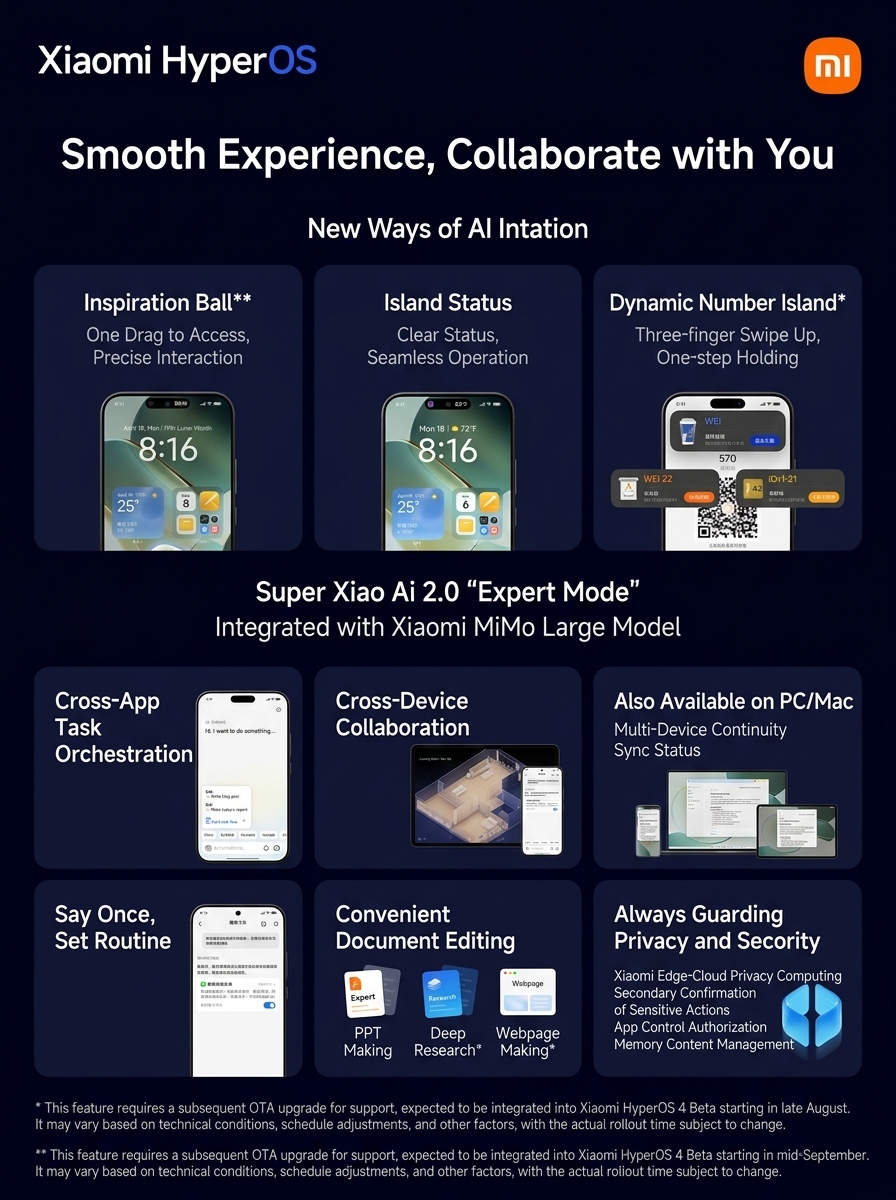
Expert Mode handles more complex requests
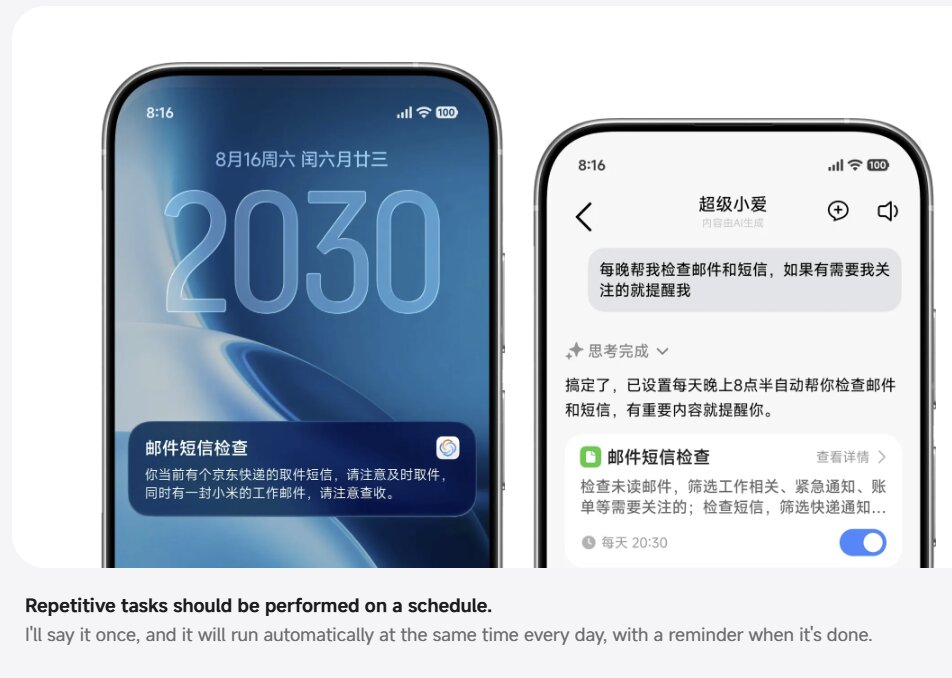
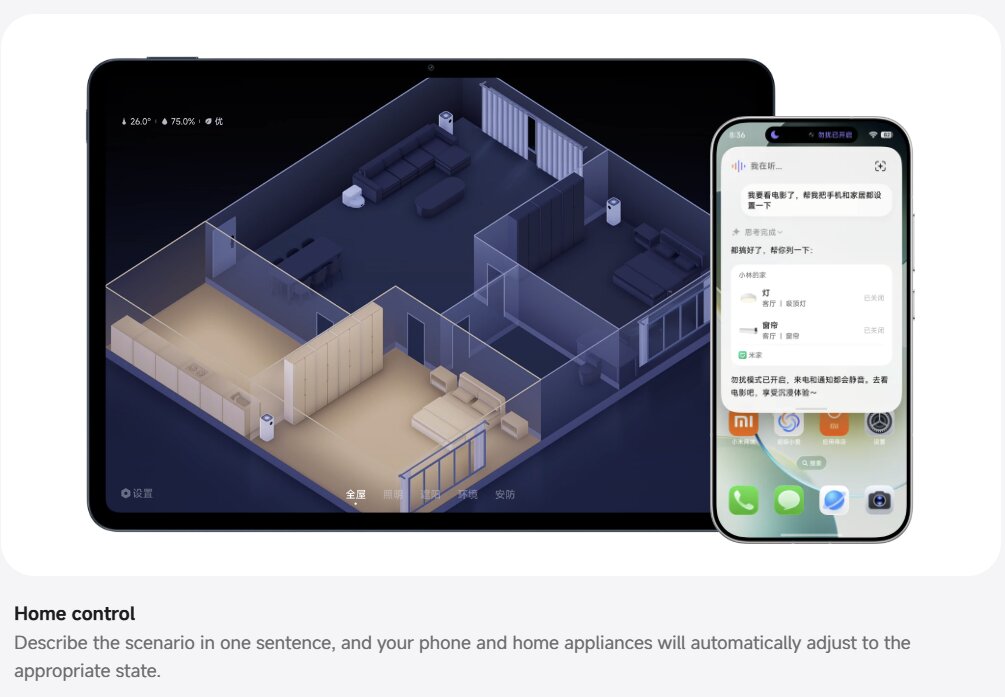
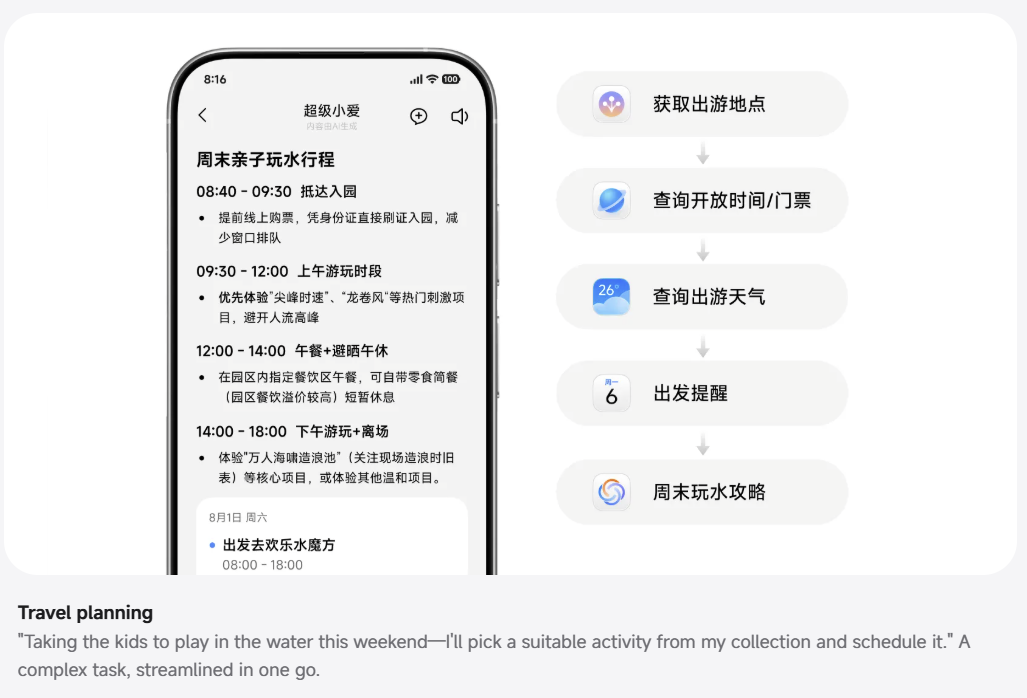
Super XiaoAi 2.0 Expert Mode is positioned as the feature set for multi-step tasks. Xiaomi shows it handling requests that require information from saved content, apps, online sources, devices, or schedules.
One example is travel planning: a user can ask it to choose a suitable family water activity from saved items and add it to a calendar. Xiaomi describes this as completing a complex task in one step rather than returning a simple text answer.
The actual ability to control smart-home devices, plan trips, or retrieve service information depends on connected apps, device support, and third-party data sources.
AI can create research reports, presentations, websites, and videos
HyperOS 4 introduces a broader content-generation suite. In Expert Mode or through the mobile Office Suite, Xiaomi shows the assistant generating:
- Deep Research reports
- PowerPoint presentations
- Websites
- Videos
The Deep Research feature can combine personal saved content with online knowledge, analyze the information, and generate a structured report. The PPT tool can turn a single topic into an outline, written content, and complete slides in different styles.
For website generation, Xiaomi says the user can describe a requirement and receive a usable page structure, text content, and visual style. Xiaomi also lists video generation as part of the same content-generation group.
Generated content can contain errors, incomplete information, or inaccurate conclusions. Xiaomi explicitly presents these outputs as AI-generated results that require user review.
AI functions can continue across phones, PCs, and Macs
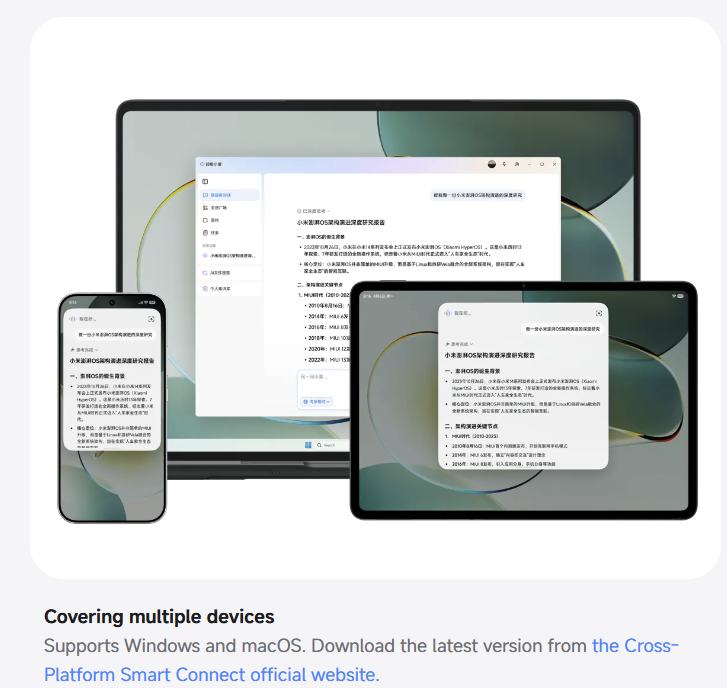
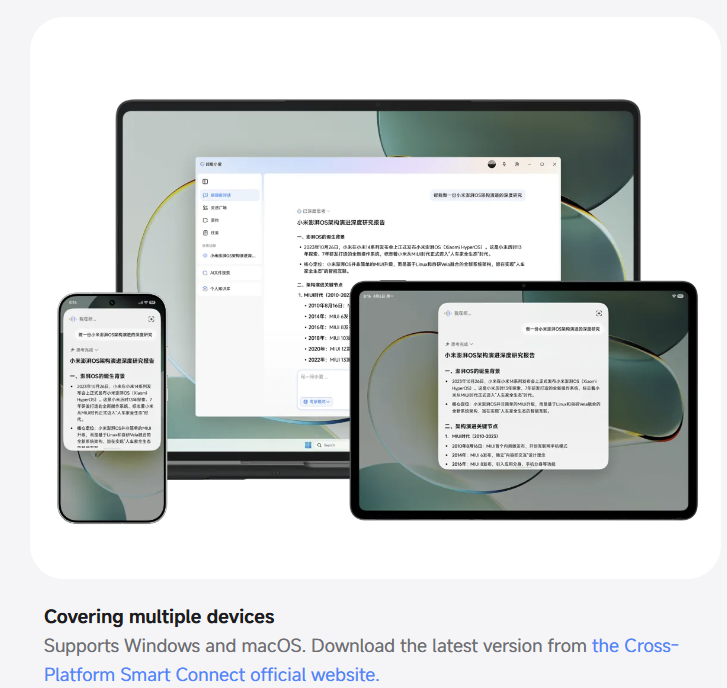
Super XiaoAi 2.0 is not limited to Xiaomi phones. Xiaomi says that eligible functions can run across phones, tablets, Xiaomi PCs, and Apple Silicon Macs.
For the first Xiaomi PC wave, Xiaomi lists:
- Xiaomi Book Pro 14
- REDMI Book Pro 16 2026
- REDMI Book Pro 14 2026
These PCs require Xiaomi PC Manager version 5.8.1 or later and Super XiaoAi version 3.5 or later. Apple Silicon Macs require macOS 12 or later and Xiaomi Interconnectivity Services version 4.0.x or later.
Cross-device AI tools require the phone, tablet, and computer to use the same Xiaomi account. The devices must be nearby during the first connection, on the same network, and have Super XiaoAi Expert Mode enabled.
Xiaomi also describes features such as conversation handoff, remote file retrieval, and ecosystem compatibility. Remote file retrieval requires the target computer to remain awake, powered, connected to the network, and running the necessary Xiaomi service.
New AI tools in Recorder, Keyboard, and Notes
Several system apps receive direct AI upgrades.
The Recorder app can recognize meeting scenarios, extract core points, create an outline, generate summaries, allow manual key-point marking, and skip silent segments. Xiaomi says AI summaries and outlines should be treated as references and verified against the original recording.
The Super XiaoAi Input Method adds voice-input polishing, expression improvement, and Chinese-English translation. Xiaomi confirms this keyboard is limited to HyperOS 4 devices in mainland China.
AI Voice Notes can accept inserted images and extract conclusions and to-do items. The feature is limited to supported HyperOS 4 devices.
Xiaomi also mentions new AI calling features. These are expected in mid-September for selected HyperOS 4 devices in mainland China. Tablets using Unisoc platforms and tablets without SIM-card support are excluded.
Privacy and Security Improvements
Xiaomi end-cloud privacy computing
HyperOS 4 includes Xiaomi’s end-cloud privacy computing framework. Xiaomi says this is designed to ensure that user data is used only for completing the requested task.
The system is positioned as a safeguard for AI tasks that may need to process personal notes, saved content, messages, files, schedules, or smart-home information.
Sensitive actions require user confirmation
In Expert Mode, HyperOS 4 adds controls for actions that can change or expose user data. Xiaomi lists confirmation requirements before the AI can modify, delete, or externally send data.
This is important because Super XiaoAi 2.0 is designed to do more than answer questions. If the AI can act across apps and devices, users need to know when it is about to perform a meaningful action rather than only suggest one.
Automatic-memory controls
HyperOS 4 also includes tools to manage the source of automatic AI memory and clear automatically remembered content.
These settings apply inside Expert Mode conversations. Xiaomi presents them as part of a broader approach to controlling what AI can remember, access, and use when completing future tasks.
HyperOS 4 Beta: First Supported Devices
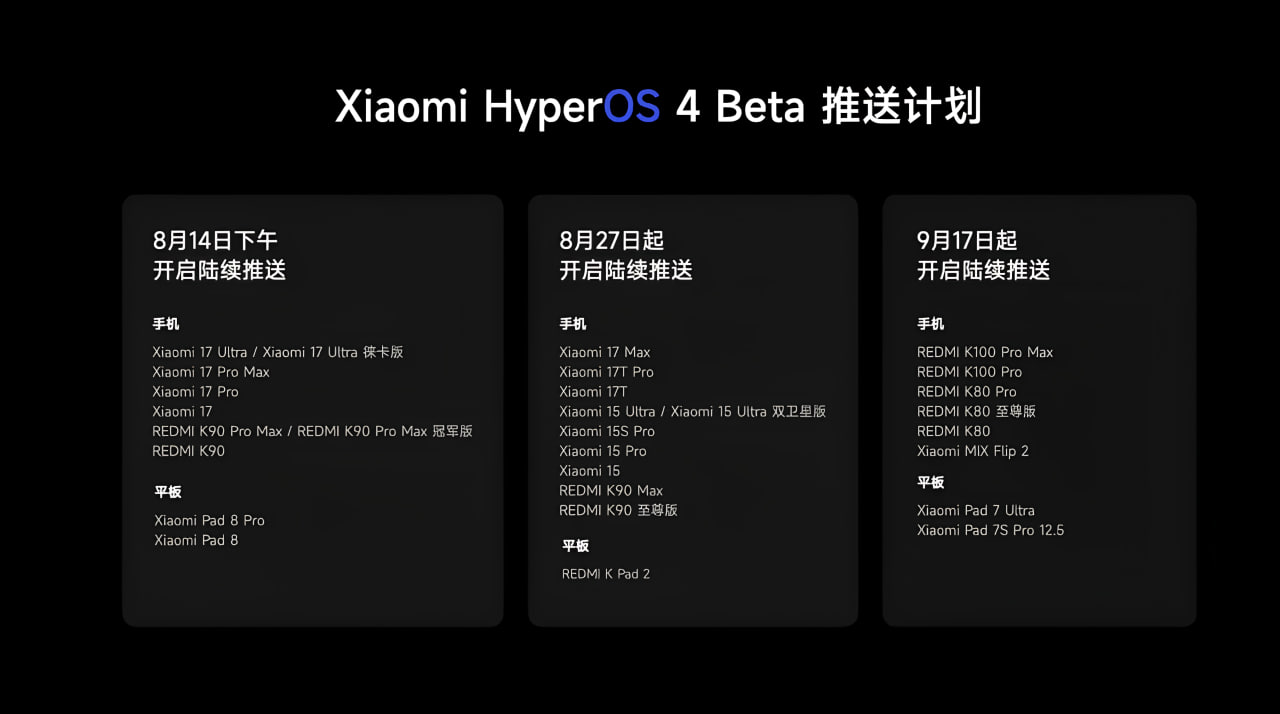
Xiaomi has opened the first HyperOS 4 Beta recruitment phase through the Xiaomi Community Internal Testing Center in China.
The first announced phones are:
- Xiaomi 17 Ultra
- Xiaomi 17 Ultra Leica Edition
- Xiaomi 17 Pro Max
- Xiaomi 17 Pro
- Xiaomi 17
- REDMI K90 Pro Max
- REDMI K90 Pro Max Champion Edition
- REDMI K90
The first announced tablets are:
- Xiaomi Pad 8 Pro
- Xiaomi Pad 8
This is a China beta program. Xiaomi has not confirmed a Global, EEA, India, Turkey, or other international beta schedule in the official HyperOS 4 materials.
Device Limitations and Availability
Not every HyperOS 4 feature will be available on every device.
Xiaomi says the full Soft Light Glass material and interaction lighting are planned for devices with:
- Snapdragon 8 Elite platforms and later flagship platforms
- Dimensity 9500 flagship platforms and later
- XRING O1 3nm flagship processors and later
Other interface effects, such as advanced lock-screen clock glass, can also be limited to selected flagship models. Super XiaoAi 2.0 Expert Mode, Inspiration Ball, AI content creation, and cross-device AI tools each have their own device, application, network, and account requirements.
The official HyperOS 4 website confirms an ambitious release, but it also makes clear that rollout timing and support vary by model. For global users, the design and performance direction is now official, while feature parity and regional AI availability remain unconfirmed.



Xiaomi should make all eligible devices compatible with Soft Glass and equip all T series devices from T13 and above with Soft Glass because many T13 series customers have been waiting a lot for the Hyper OS 3 update. They should respect their customers. All other brands support Soft Glass on all models. If T13 does not support Soft Glass, I will never buy Xiaomi again and will not use any Xiaomi products. My phone is a T13 and still hasn’t received Hyper OS 3. Xiaomi programmers are far behind their competitors. If Hyper OS 4 on T13 does not use Soft Glass, I will sell the phone and buy a OnePlus because it is reasonably priced and values its customers.
Don’t worry for 13T user. In Indonesia region, 13T already have HyperOS 3. Maybe sooner will go to global and the rest. Keep optimize and happy. Ty