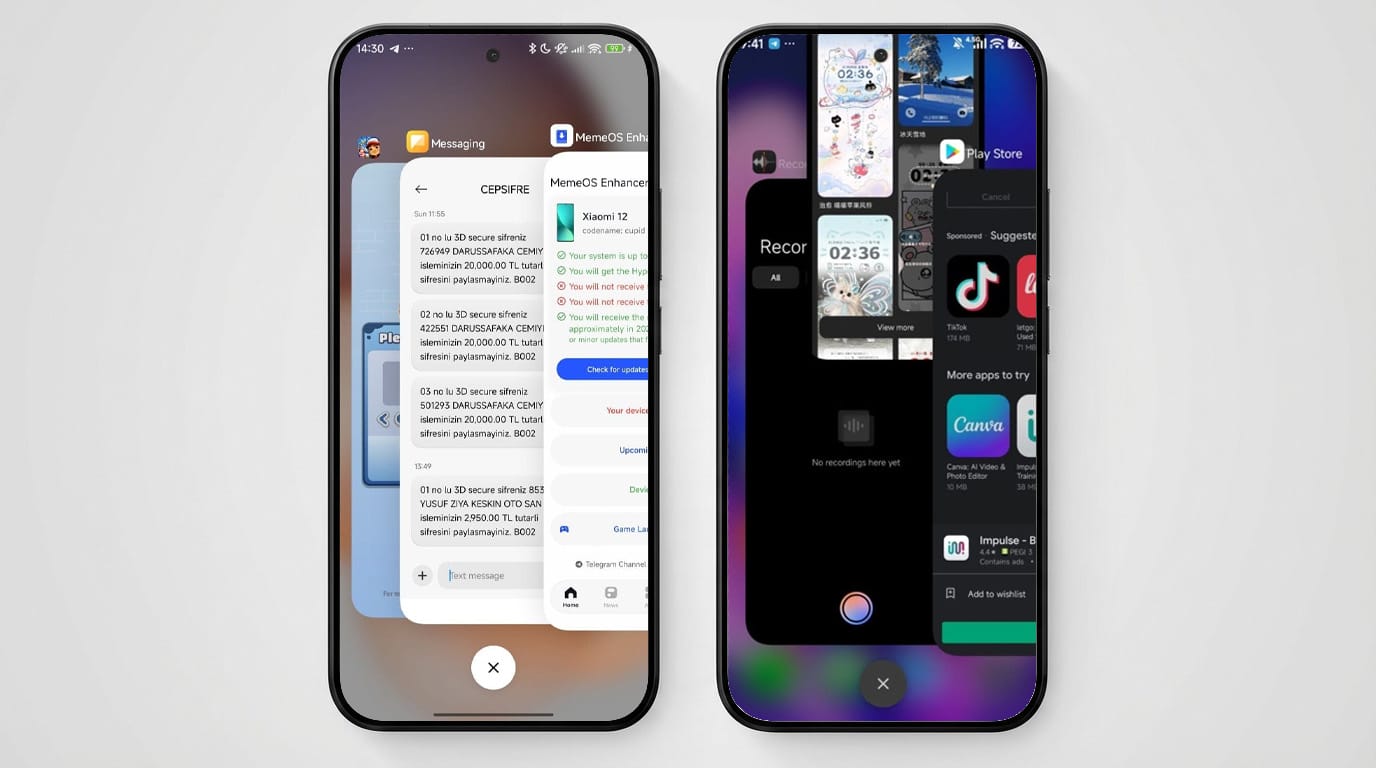
POCO Launcher has received a new update coinciding with the rollout of HyperOS 3.1, which now removes support for the popular stacked recent apps feature on certain POCO devices. Users relying on the “settings put global task_stack_view_layout_style 2” workaround to enable stacked recents on low-end POCO smartphones will find this method patched and unusable in the latest software version. This change significantly impacts multitasking customization for affected devices.
Technical Background: Why the Stacked Recent Apps Feature Was Removed
The stacked recent apps layout allowed users to view their recent tasks in a layered, overlapping stack format—favored by many for its aesthetics and ease of navigation. This feature was previously accessible on some low-end POCO devices via a hidden system command: settings put global task_stack_view_layout_style 2. However, with the HyperOS 3.1 update, Xiaomi has patched this command, effectively disabling the ability to toggle the stacked recent apps style.
The root cause revolves around system-level adjustments in HyperOS 3.1 designed to optimize multitasking performance and stability but internally deprecate non-standard UI customizations through hidden system flags. By removing this user-accessible command, Xiaomi aims to standardize the experience across POCO devices, albeit at the cost of reduced interface customization options for budget users.
Affected Devices and Software Versions
- POCO devices running the latest HyperOS 3.1 update
- Low-end POCO smartphones formerly able to invoke stacked recents via system command
- POCO Launcher version aligned with HyperOS 3.1 rollout
Impact of the Update and User Experience Considerations
Users who valued the stacked recent apps layout will notice the removal immediately after upgrading their POCO devices to HyperOS 3.1 and the latest POCO Launcher version. The patched command means the customization is no longer accessible, reducing multitasking interface options. For users who prefer stacked recents, the current recommendation is to avoid installing this HyperOS 3.1 update and associated POCO Launcher update until an alternative or official feature replacement is provided.
This update hints at Xiaomi’s ongoing efforts to reinforce system stability and uniformity in UI/UX across their ecosystem, particularly for their budget POCO segment. While this may streamline device maintenance and reduce bugs related to unsupported customizations, it also alters the flexibility previously appreciated by power users.
As Xiaomi further refines HyperOS 3.1, stakeholders and enthusiasts are encouraged to monitor update notes closely and weigh the benefits of stability against customizability when choosing to update. If you want to get this update you can get latest POCO Launcher from MemeOSUpdates.com or MemeOS Enhancer App.