


Xiaomi’s first HyperOS 4 V8 Launcher build has surfaced, offering an early look at the company’s redesigned home-screen experience. The new launcher introduces liquid-style blur effects, refreshed menus, smoother animations, new folder customization options, and a more translucent interface. However, the current package is a Rust-based development build designed for internal HyperOS 4 ROMs, meaning users should not install it on regular HyperOS devices.
HyperOS 4 V8 Launcher version
The leaked launcher carries the following version number:
- RELEASE-8.00.02.2771-07171632-R
The “-R” suffix indicates that this is the Rust-based edition of the launcher. It appears to be intended for Xiaomi’s internal development ROMs and upcoming HyperOS 4 builds based on Android 17.
Because the launcher depends on new system components, permissions, and framework integrations, manually installing it on HyperOS 2 or HyperOS 3 may cause crashes, boot loops, or the loss of home-screen functionality.
New liquid blur elements
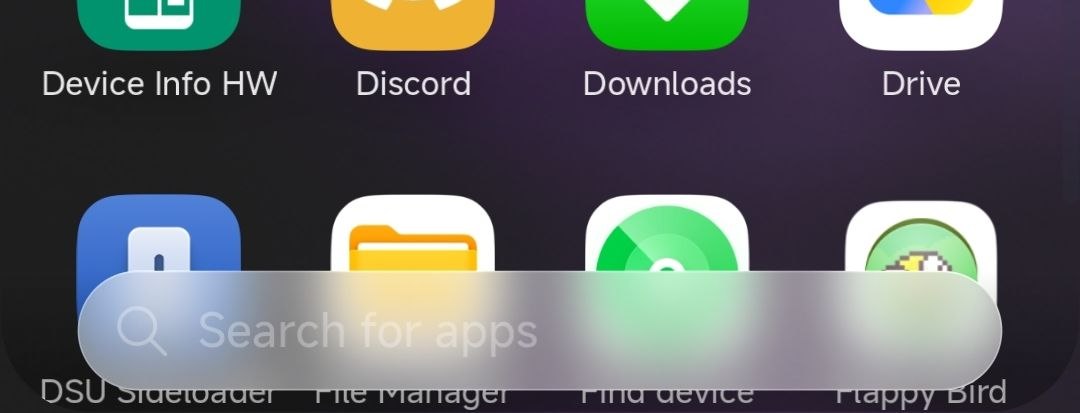
One of the most visible changes is the expanded use of liquid-style blur effects. The app drawer search bar now uses a heavily blurred, translucent background that dynamically blends with the icons and wallpaper behind it.
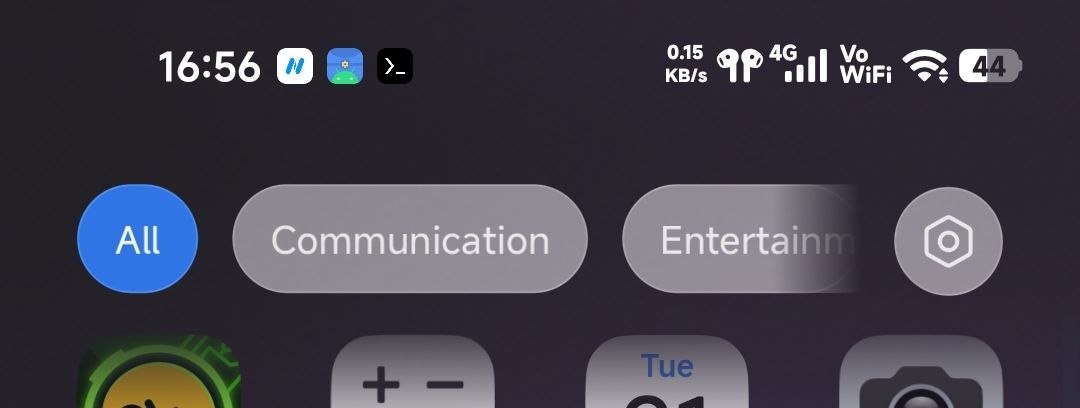
The app-category tabs at the top of the drawer have also been redesigned. Categories such as All, Communication, and Entertainment now appear inside rounded translucent containers. The selected category keeps a solid accent color, while inactive categories use a glass-like surface.
This design follows the visual direction Xiaomi previously introduced in selected HyperOS 2.2 Control Center elements, where Quick Settings headers and interface layers became partially transparent.
New translucent app-drawer header
The upper section of the app drawer now appears more integrated with the wallpaper. Instead of using a completely opaque background, the header applies a semi-transparent blur layer.
This makes the launcher feel more visually connected and creates a clearer depth effect between the wallpaper, application icons, search bar, and category controls.
Redesigned popup menus
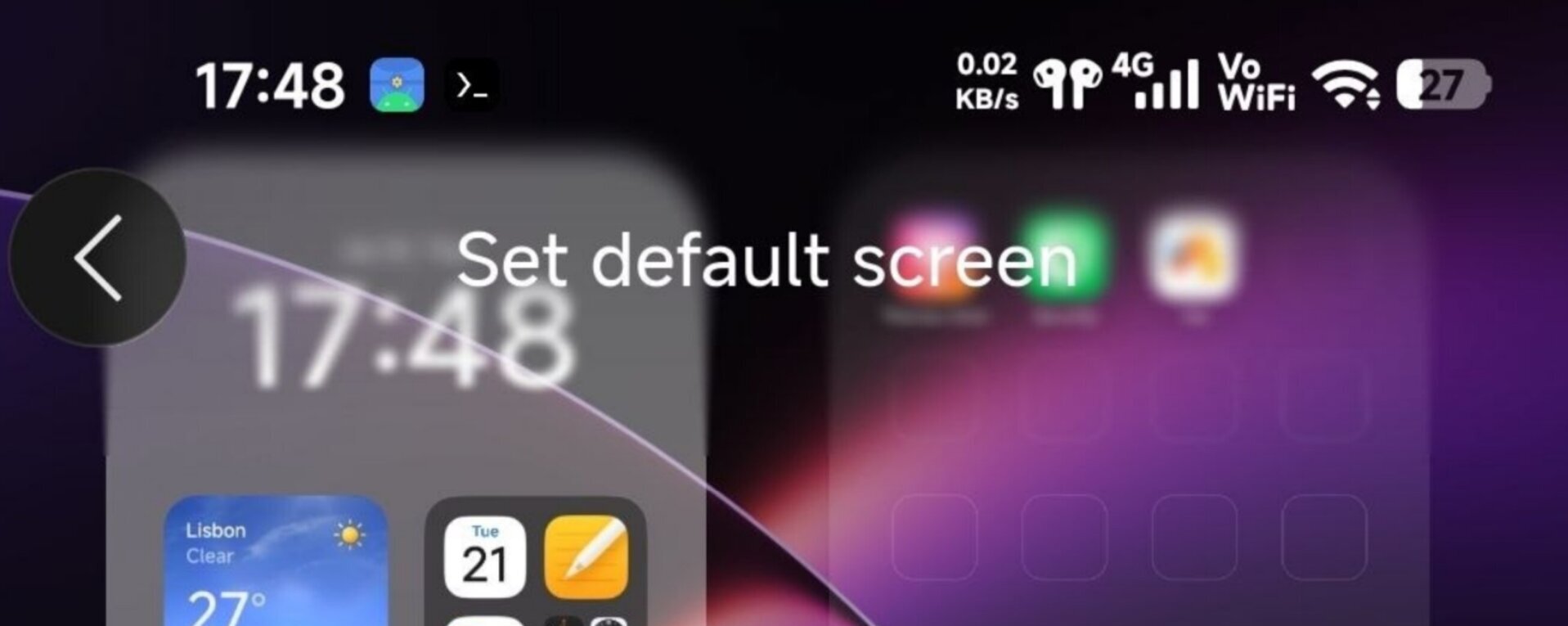
HyperOS 4 V8 Launcher also introduces updated popup menus. The animation-speed selector now opens inside a large rounded floating panel with softer corners and more spacing between options.
The available animation modes remain:
- Relaxed
- Balanced
- Fast
However, the menu-opening animation appears smoother and more fluid than the current implementation. The selected option is highlighted using Xiaomi’s system accent color and a check mark.
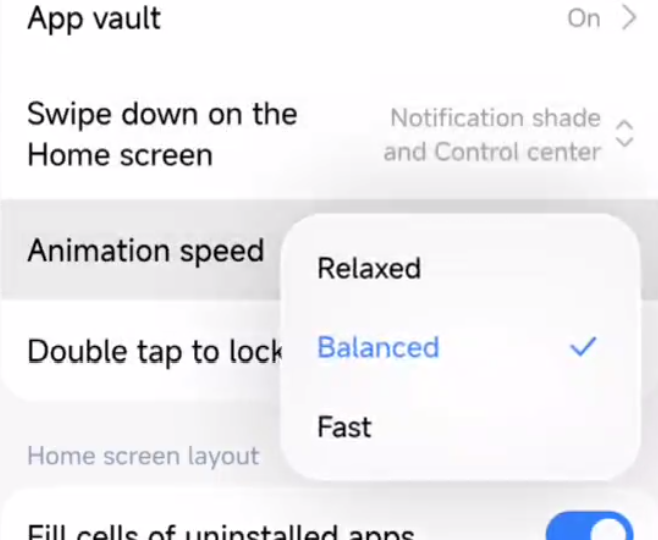
Popup panels no longer appear instantly. Instead, they expand with a softer scale-and-fade transition. This creates a more natural visual connection between the selected setting and the floating menu.
Similar animation changes are expected to appear in folder menus, home-screen customization controls, widgets, and launcher shortcuts.
Updated animation-speed control
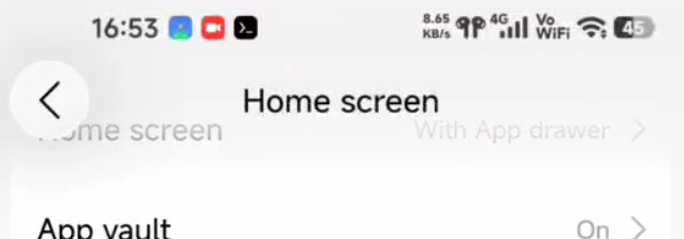
The Home screen settings page now shows the selected animation mode directly beside the Animation speed option. Xiaomi has also replaced the traditional arrow with a compact vertical selector indicator.
This allows users to switch between Relaxed, Balanced, and Fast animation profiles without entering a separate settings page.
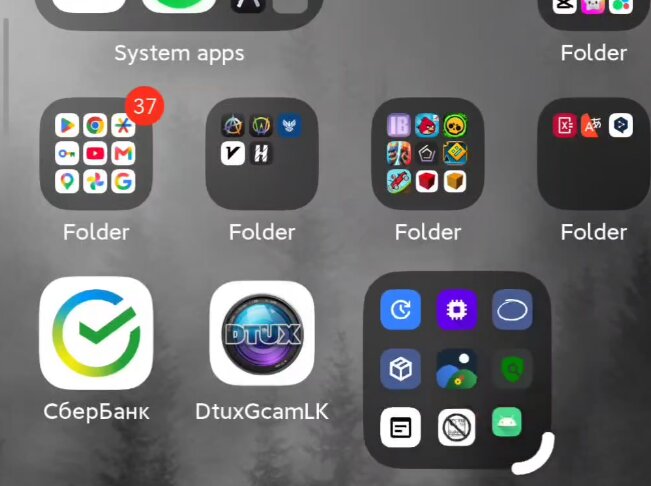
New folder customization options
The build reportedly includes additional folder customization features. Although every option has not yet been demonstrated, HyperOS 4 is expected to offer greater control over folder appearance, layout, dimensions, and animation behavior.
These additions could expand on the large-folder and widget-like folder styles already available in previous HyperOS versions.
New system activities and permissions
The V8 Launcher package also contains several new activities, providers, permissions, and services:
com.miui.home.recents.RecentsActivity
com.miui.home.actionclient.AlActionProvider
android.permission.ACCESS_CONTEXTUAL_SEARCH
com.miui.voiceassist.permission.ACCESS_GLOBAL_CONTENT_PROVIDER
com.hyperos.AI_ACTION_DESCRIPTION
com.miui.home.raw/aiaction_ddf_data
androidx.appfunctions.service.PlatformAppFunctionService
References to contextual search, global content access, AI actions, and Android App Functions suggest that the launcher could become more deeply connected to Xiaomi’s system-wide AI services.
The package also includes updated compatibility values such as:
HomeShortcutKeyWakeUpVersion: 3-4
miuiwidget.global.compat.version
These changes indicate that HyperOS 4 may introduce new home-screen shortcuts, widget compatibility layers, and AI-powered launcher actions.
Can you install it?
The current Rust-based launcher should not be installed on a stable HyperOS phone. It was developed for upcoming HyperOS 4 system builds and may require Android 17 APIs that do not exist on older firmware.
Xiaomi is expected to release a standard non-Rust launcher package alongside stable HyperOS 4 updates. Even then, compatibility will depend on the device, Android version, system framework, and launcher dependencies.
What HyperOS 4 V8 Launcher changes
The first HyperOS 4 launcher build introduces:
- Liquid-style blur effects
- A translucent app-drawer header
- Redesigned category buttons
- A blurred application search bar
- New popup menu animations
- Updated animation-speed controls
- Additional folder customization options
- Deeper AI and contextual-search integration
- New Android 17 services and permissions
HyperOS 4 V8 Launcher represents a substantial visual update rather than a simple version-number change. Xiaomi is extending translucent materials across the app drawer, search interface, headers, and popup menus while also preparing deeper Android 17 and AI integration.
The leaked build is still intended for development ROMs, but it provides the clearest preview yet of Xiaomi’s upcoming HyperOS 4 design language.
Download and compatibility
The HyperOS 4 V8 Launcher package can be downloaded through the MemeOS Enhancer app or from the launcher page on MemeOSUpdates.com:
However, the update may not install on every Xiaomi or REDMI device. Compatibility can vary depending on the Android version, HyperOS build, system architecture, launcher dependencies, and regional firmware. Even when installation succeeds, some new features may not work correctly on unsupported devices.

I can’t wait
“… manually installing it on HyperOS 2 or HyperOS 3 may cause crashes, boot loops, or the loss of home-screen functionality.”
It doesn’t even install on a Redmi Note 15 running HOS 3.1, it’s like with the Camera app leaks not being compatible across all devices, I’ll just wait until it’s actually available.
time to copy😈
Hyperos is new system and they just push aside compatibility… the hyperos should have more on their devices
and u need android 17 to make this new updte? theres tons amatur developer can duplicated glass functions etc on their copycat apps why can xiaomi do it?