


Xiaomi has released an updated HyperOS Launcher application extracted from official HyperOS system builds. The latest versions, RELEASE-8.01.02.5329-260807-08141533-R and RELEASE-8.01.02.5334-260807-08151151-R, aim to improve launcher stability and user experience on devices running HyperOS 3.1 builds.
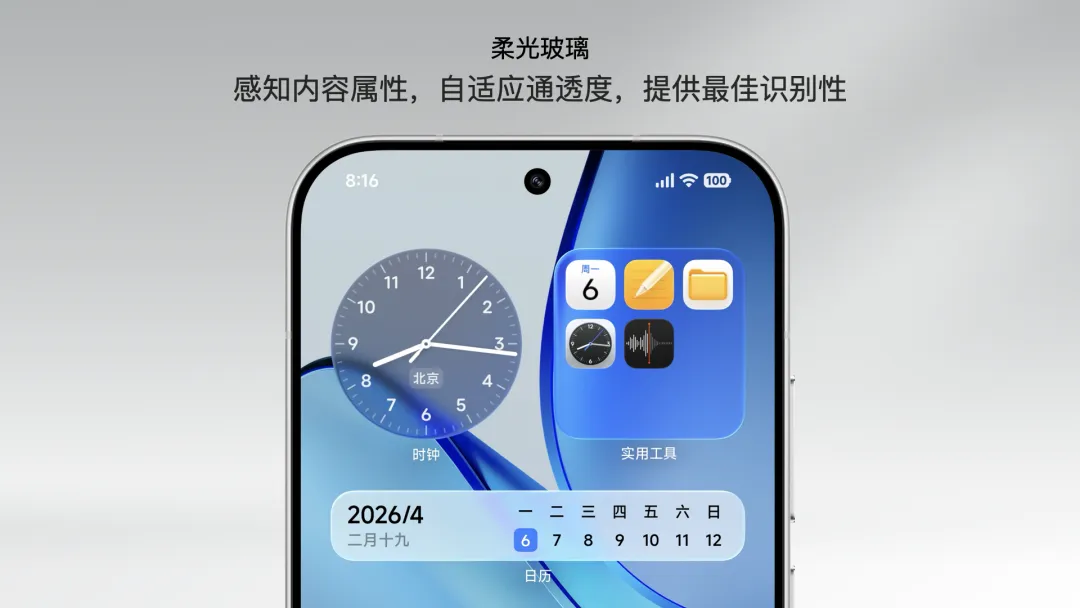
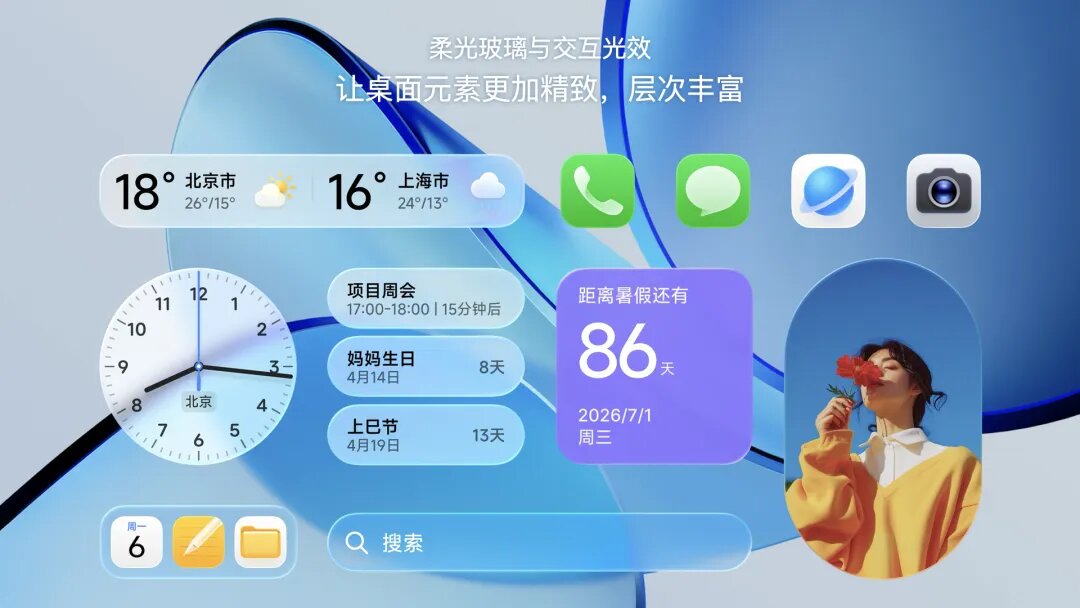
Installation and Compatibility Details
The HyperOS Launcher APK is available for manual download and installation. Users should first download the APK file and enable “Install from Unknown Sources” in their device settings if prompted. Installation requires uninstalling any previous launcher versions to avoid conflicts. Once installed, the launcher can be opened directly to replace or enhance the current home screen experience.
This launcher update works with selected devices running HyperOS 3 and 3.1 versions. It is provided as a secure mirror without any modifications to the original digital signature, preserving the integrity of Xiaomi’s official software. All intellectual property rights remain with Xiaomi Inc.
Where to Get the Update
Users can download the updated HyperOS Launcher via the MemeOS Enhancer app or from MemeOSUpdates.com. These platforms provide trusted access to the latest HyperOS system app updates and firmware packages. Availability may vary depending on device, region, and the installed HyperOS version.
Source: memeosupdates.com

Where is my Poco launcher?
Download failed on HyperOS 3. Don’t bother downloading; you’ll get an error message saying it’s not compatible with your device. Most likely, it won’t work on Hos 3.1 either, since it’s written in Rust. It only works on HyperOS 4.
It’s simply impossible to download anything from the site lately because of the incredible amount of ads and pop-ups. Please do something about it because the site is unusable and it’s not safe…