Google is preparing one of the most important developer-focused changes in Android 17 with the introduction of ADB Wi-Fi 2.0, a redesigned wireless debugging system built to solve long-standing disconnection and pairing problems. The change is especially important for Xiaomi, REDMI, and POCO users because HyperOS development relies heavily on Android’s base framework. As Xiaomi prepares HyperOS 4, the industry-wide shift toward Rust-based system components shows a clear direction for safer, more stable, and more reliable mobile software.
What Changed in Android 17
ADB, short for Android Debug Bridge, is a command-line tool that allows developers and advanced users to control Android devices from a PC. It is used for debugging apps, collecting logs, installing APK files, checking system behavior, and testing software builds.
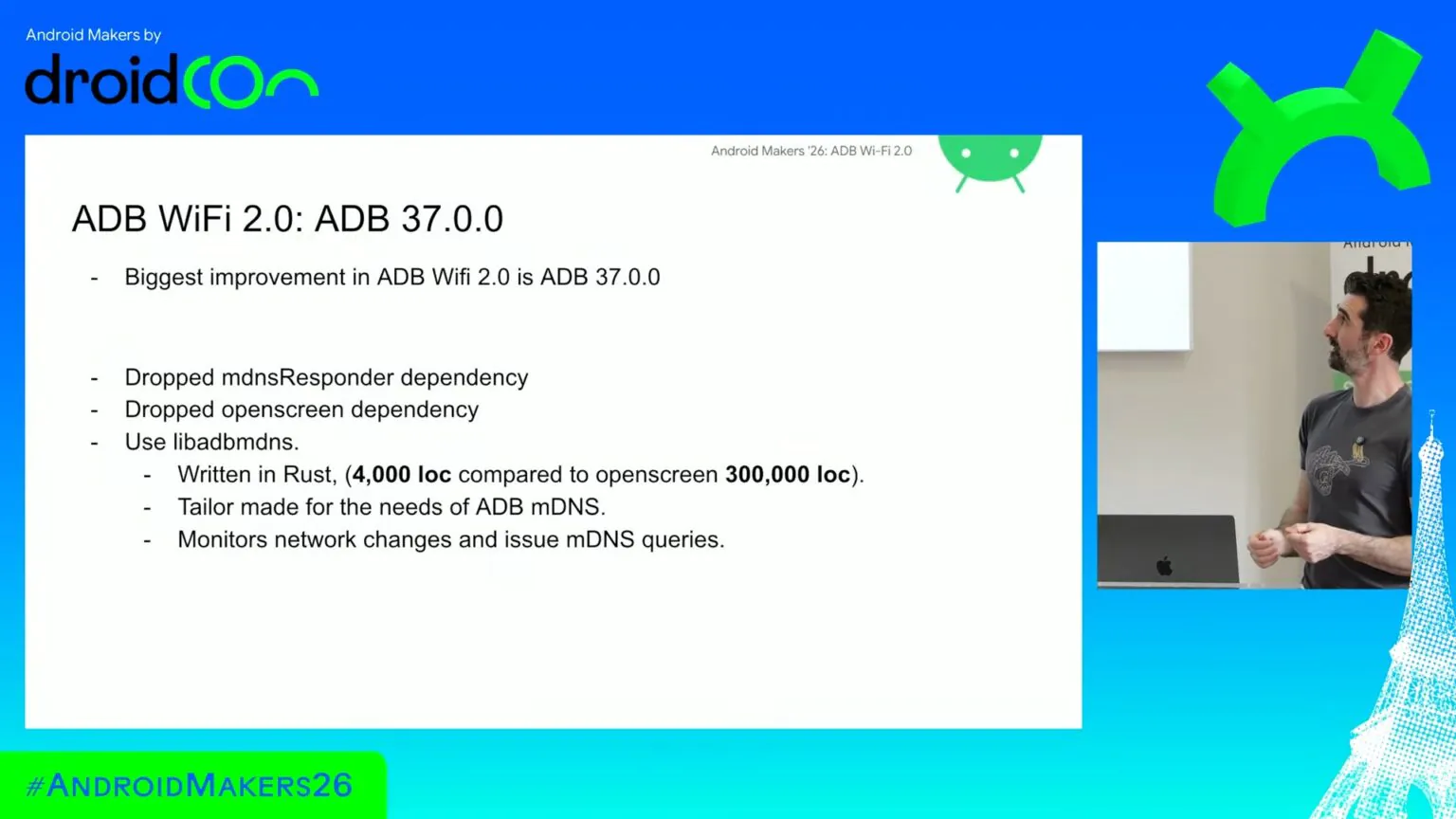
Wireless ADB was first introduced with Android 11, but the first-generation implementation had several technical limitations. It depended heavily on third-party libraries, including Apple’s mDNSResponder on macOS and Chrome’s Open Screen library on Windows and Linux. These dependencies worked at first, but they were not designed specifically for Android wireless debugging.
This created long-term technical debt. When a laptop changed networks, moved between offices, entered sleep mode, or reconnected after the lid was closed, the wireless debugging stack could lose the device connection. In many cases, developers had to manually pair the phone again.
With Android 17, Google has rewritten this stack with ADB Wi-Fi 2.0. The new implementation replaces the older third-party dependencies with a lightweight custom Rust library of around 4,000 lines of code. This library is designed specifically to monitor network state changes across desktop platforms.
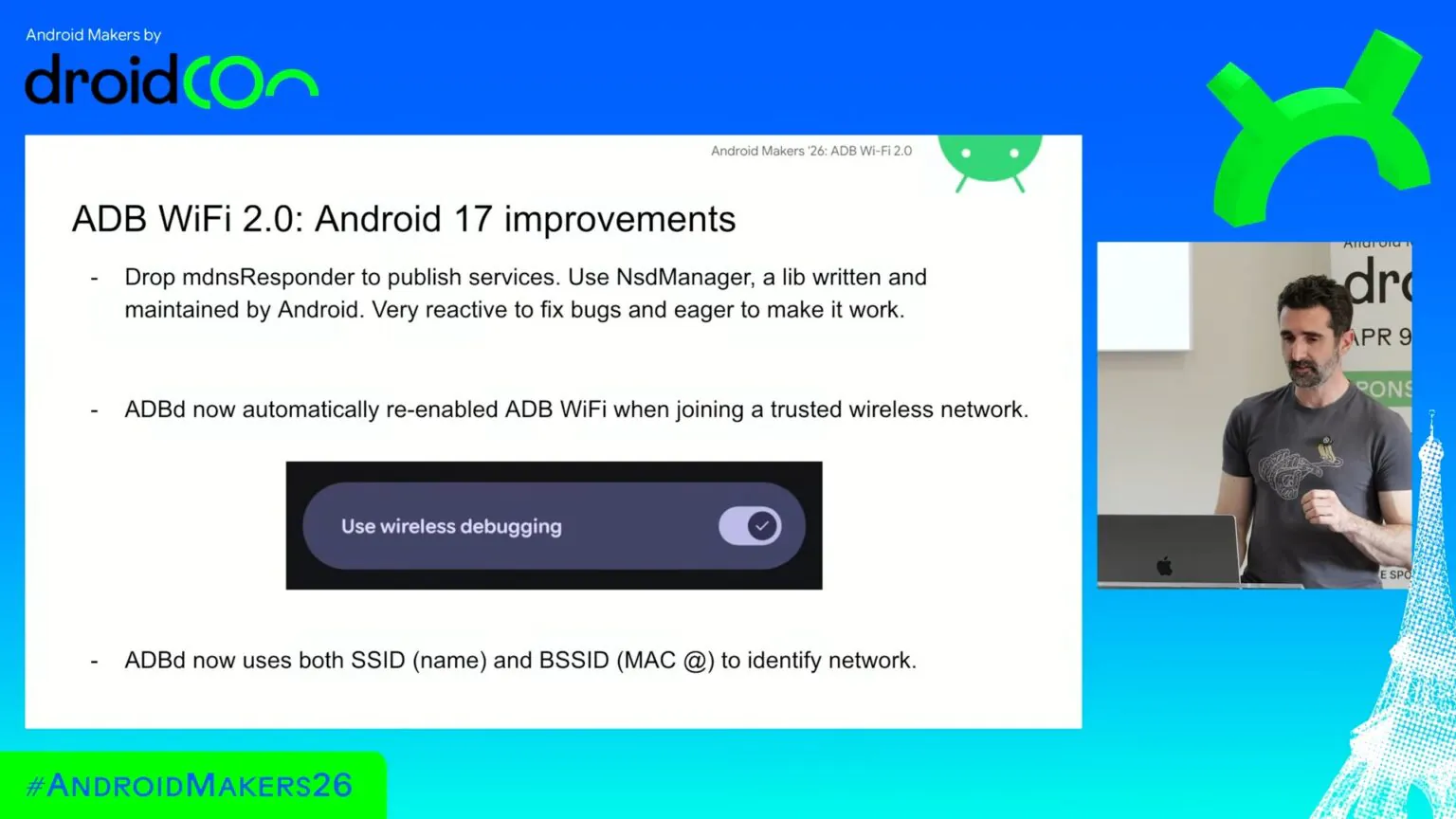
On the Android device side, the phone now uses the native Android NsdManager platform stack, making the discovery and reconnection process more integrated with the operating system.
Why Rust Matters for Android and HyperOS
Rust is becoming increasingly important in modern operating systems because it helps reduce memory-safety problems that are common in low-level system components. For debugging tools like ADB, this matters because the stack must handle network discovery, authentication, reconnection, and device communication reliably.
This also matches Xiaomi’s future software direction. Xiaomi is expected to move a larger part of HyperOS 4 system components toward Rust-based architecture. Google’s decision to rebuild wireless ADB with Rust shows that Android itself is also moving in the same direction.
For Xiaomi users, this does not mean every visible feature will change immediately. However, it can improve the foundation behind development, testing, repair tools, system diagnostics, and advanced debugging workflows.
How ADB Wi-Fi 2.0 Improves the System
The biggest real-world improvement is automatic recovery. With the older wireless ADB system, moving away from a Wi-Fi network or changing access points could break the connection. Android 17 improves this by continuously monitoring network status.
When a developer leaves a meeting room and later returns to the same trusted network, ADB Wi-Fi 2.0 can automatically reactivate and reconnect without requiring the user to repeat the pairing process.
Google also changed how trusted networks are identified. Instead of relying only on the BSSID, which represents the MAC address of an access point, Android 17 uses a smarter combination of SSID and BSSID. This is important in offices, universities, and large homes where the same Wi-Fi network may have multiple access points.
This helps prevent the device from disconnecting simply because it moved from one access point to another under the same network name.
Android Studio Pairing Interface Also Gets Better
Android Studio is also receiving an improved wireless debugging pairing interface. The older pairing dialog mainly relied on a rotating QR code. If the network was congested or discovery failed, the window could remain stuck without giving useful feedback.
The new interface is more practical. It can show a live list of discoverable local devices and display a custom device name. This makes pairing faster and easier, especially for developers testing multiple Android phones at the same time.
For Xiaomi developers, ROM testers, repair technicians, and advanced users, this can make debugging HyperOS builds much smoother.