


The Xiaomi ecosystem is taking a massive architectural leap forward regarding on-device AI integration. The latest leaked test build of the HyperOS Notes app, version 2.6.2.9, transforms a simple text editor into an advanced, proactive system assistant. While it is currently possible to sideload this build on Global ROMs, the interface is still heavily populated with Chinese UI elements. Realistically, deploying an offline generative AI model of this scale—complete with multi-language optimization and strict compliance with regional server regulations—is a process that will take months before it officially reaches the global market.
Here is a detailed technical breakdown of the major innovations that Xiaomi, REDMI, and POCO users can expect in future stable updates.
The Rise of Offline Intelligence
On-Device Offline Generative AI
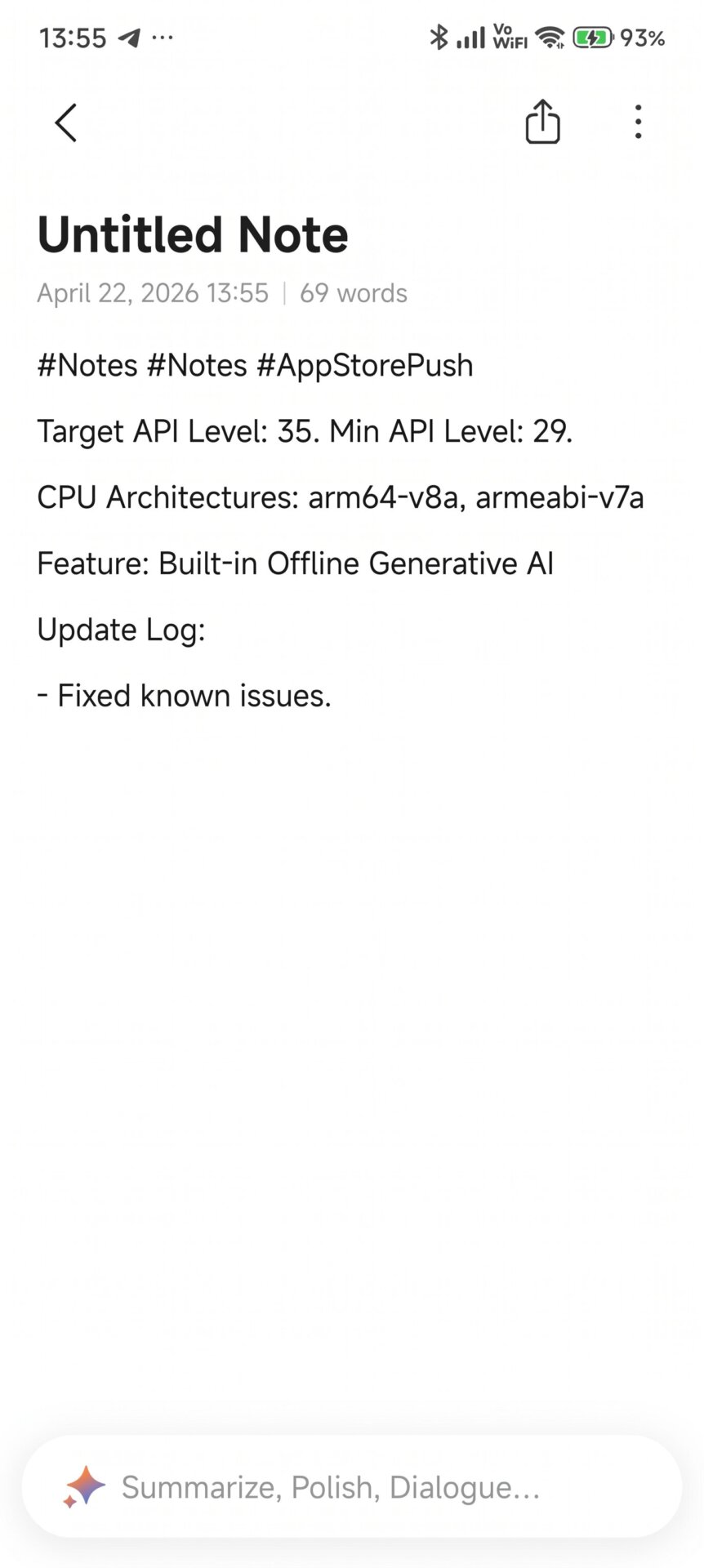
The most striking technical detail in the update logs is the explicit emphasis on “Built-in offline generative AI.” It no longer relies solely on an active internet connection or cloud-based servers. By utilizing the device’s native Neural Processing Unit (NPU), it generates contextual content locally, providing a massive advantage in both processing speed and user privacy.
Advanced Text Manipulation and Smart Templates
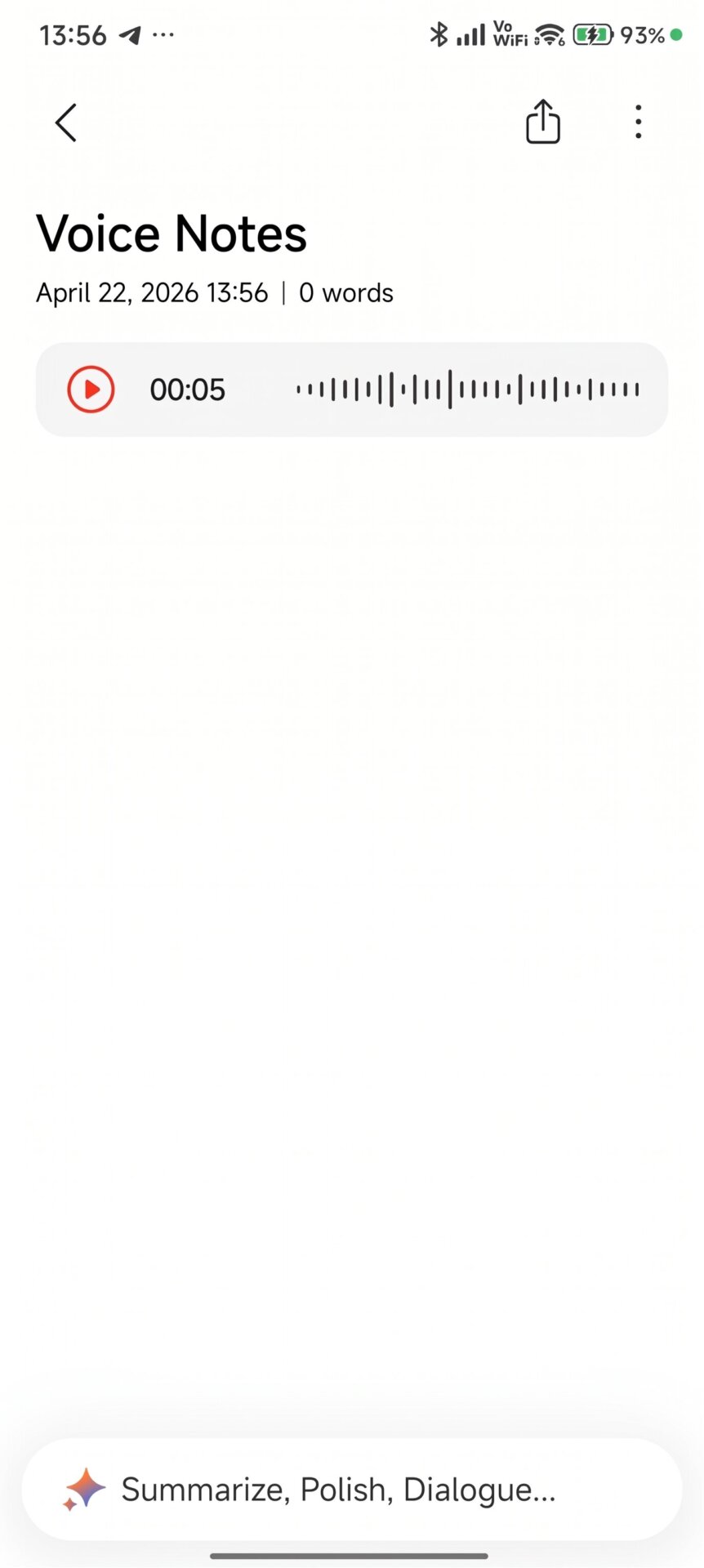
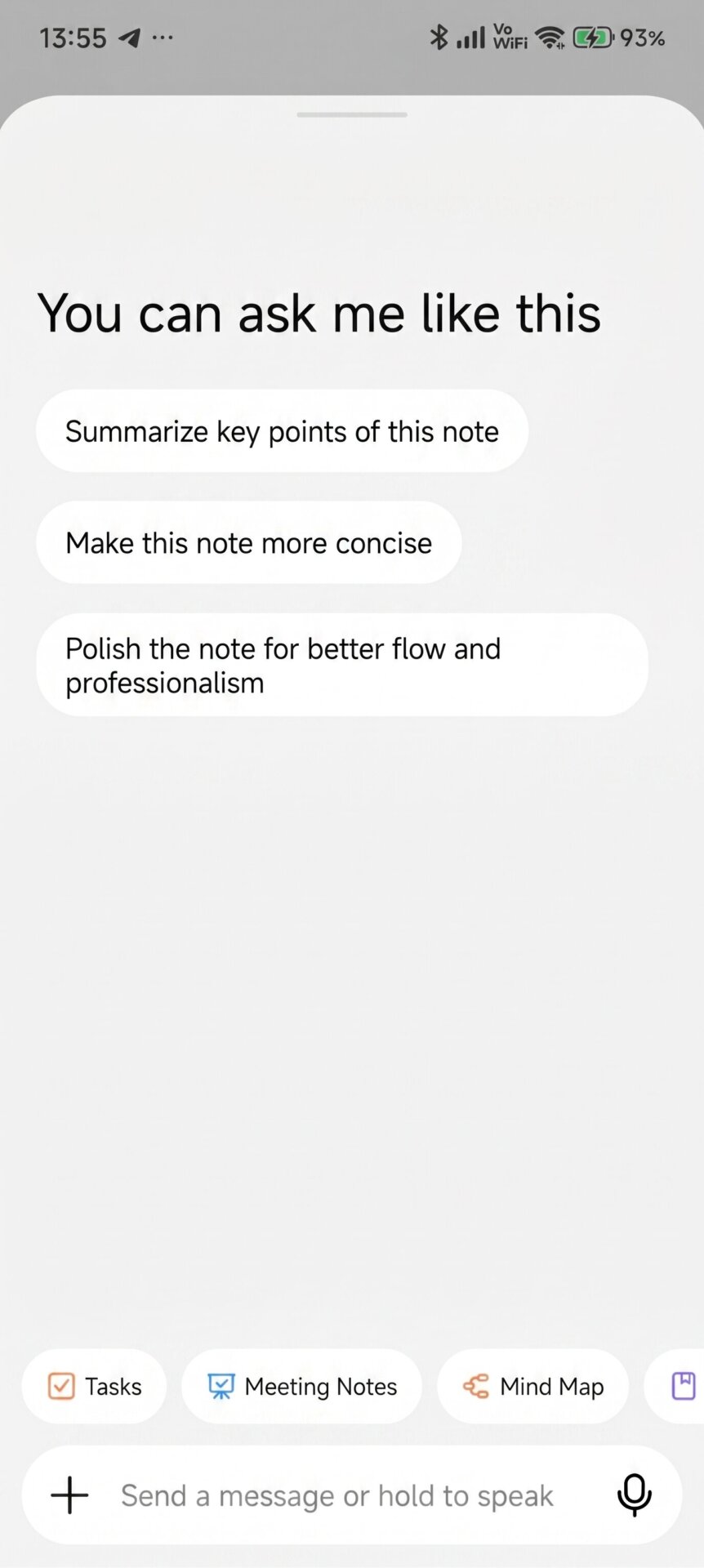
An AI assistant bar featuring a AI button has been integrated into the bottom of the screen, completely overhauling how users interact with their notes:
-
Contextual Actions: With a single tap, users can command the AI to Summarize, Polish (for better flow and professionalism), or Make concise to instantly optimize their text.
-
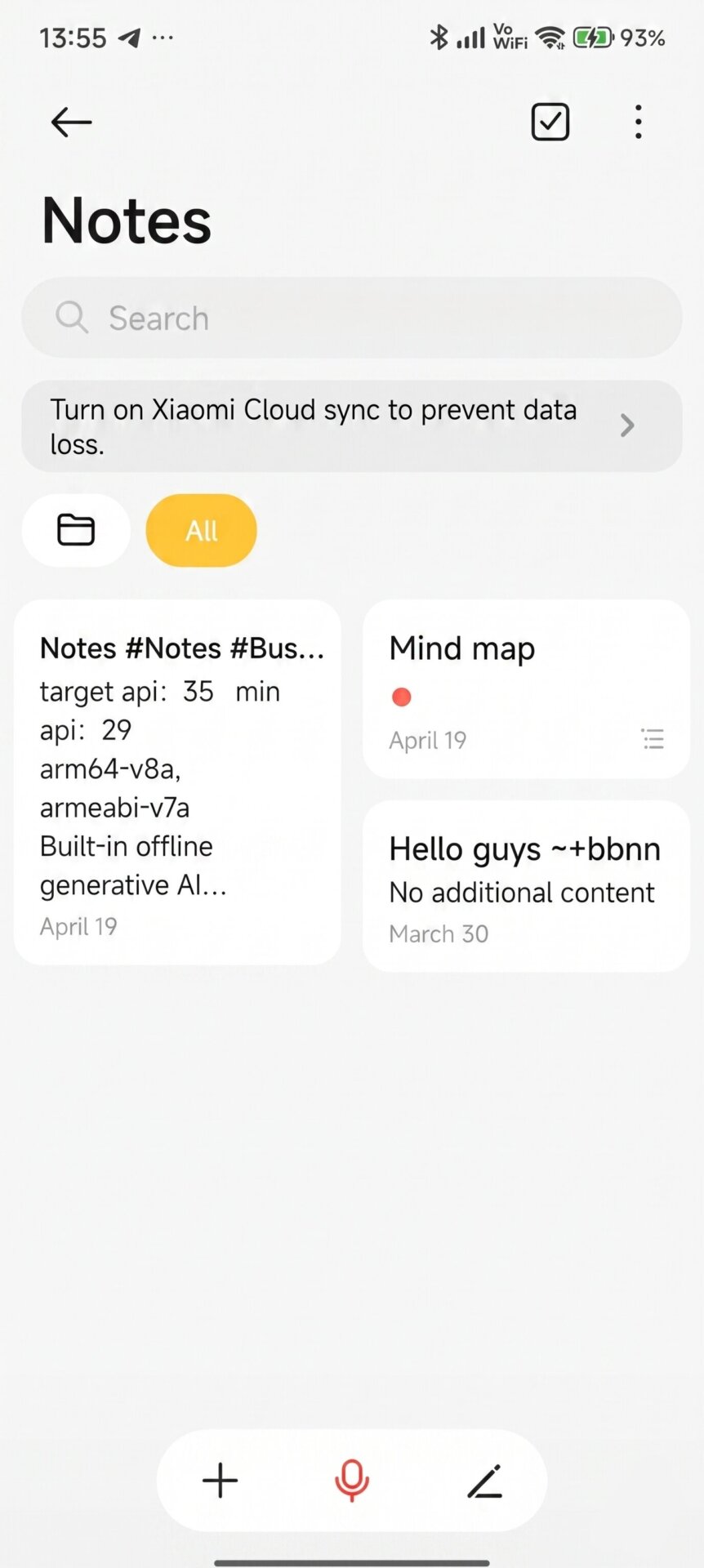
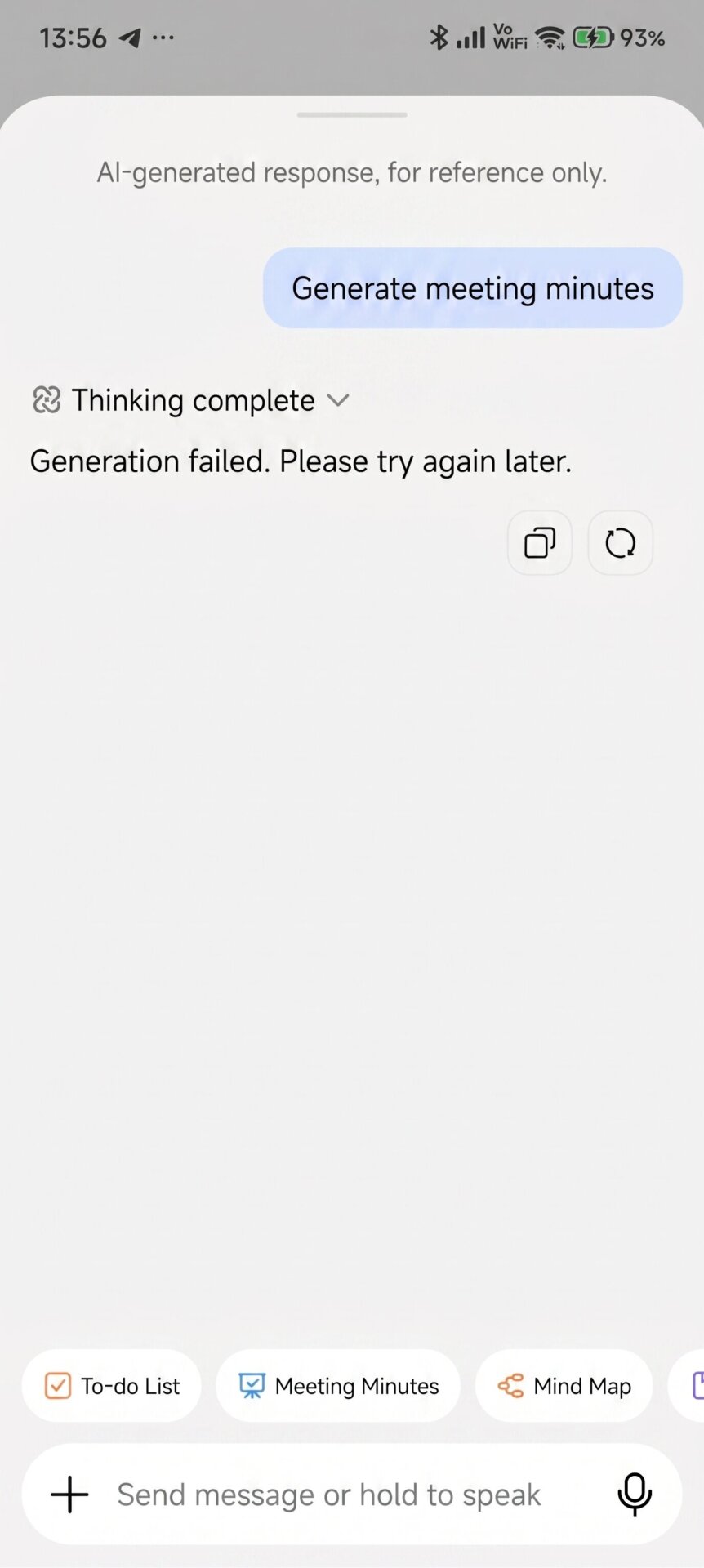
Automated Template Conversion: The AI can analyze raw text and convert it into structured formats like a To-do List, Meeting Minutes, or a Mind Map in seconds. Generated Mind Maps are even displayed as distinct, visual blocks on the main screen.
-
AI Q&A: Users can directly ask the AI questions regarding the specific content of their longer notes.
Multi-Lingual Voice Transcription and Smart Call Notes
It is not just the keyboard; the microphone and phone calls are now deeply integrated with AI:
-
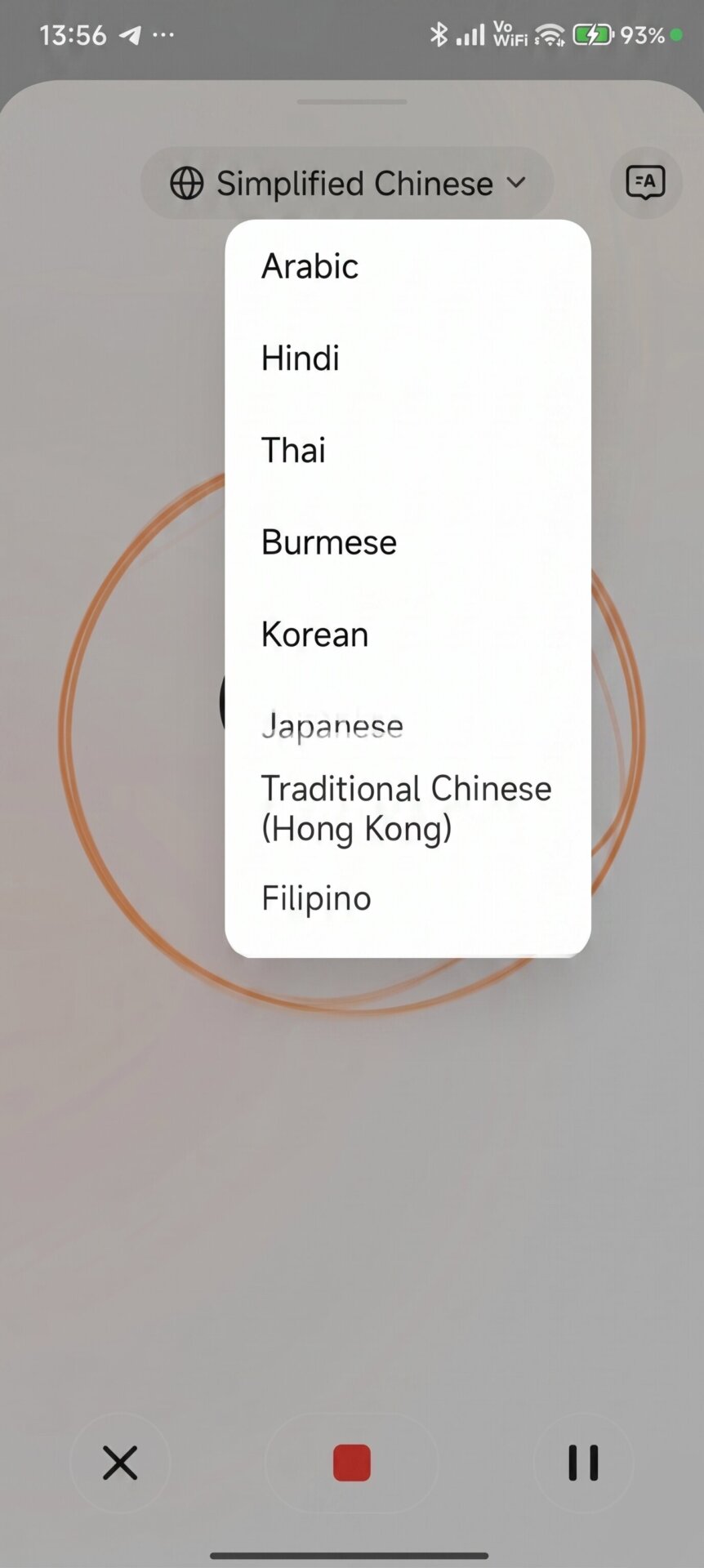
Multi-Lingual Transcription: The new interface can transcribe voice recordings into text in real-time. Alongside Chinese, the test build shows support for a wide array of languages including English, Arabic, Hindi, Korean, Japanese, and Filipino.
-
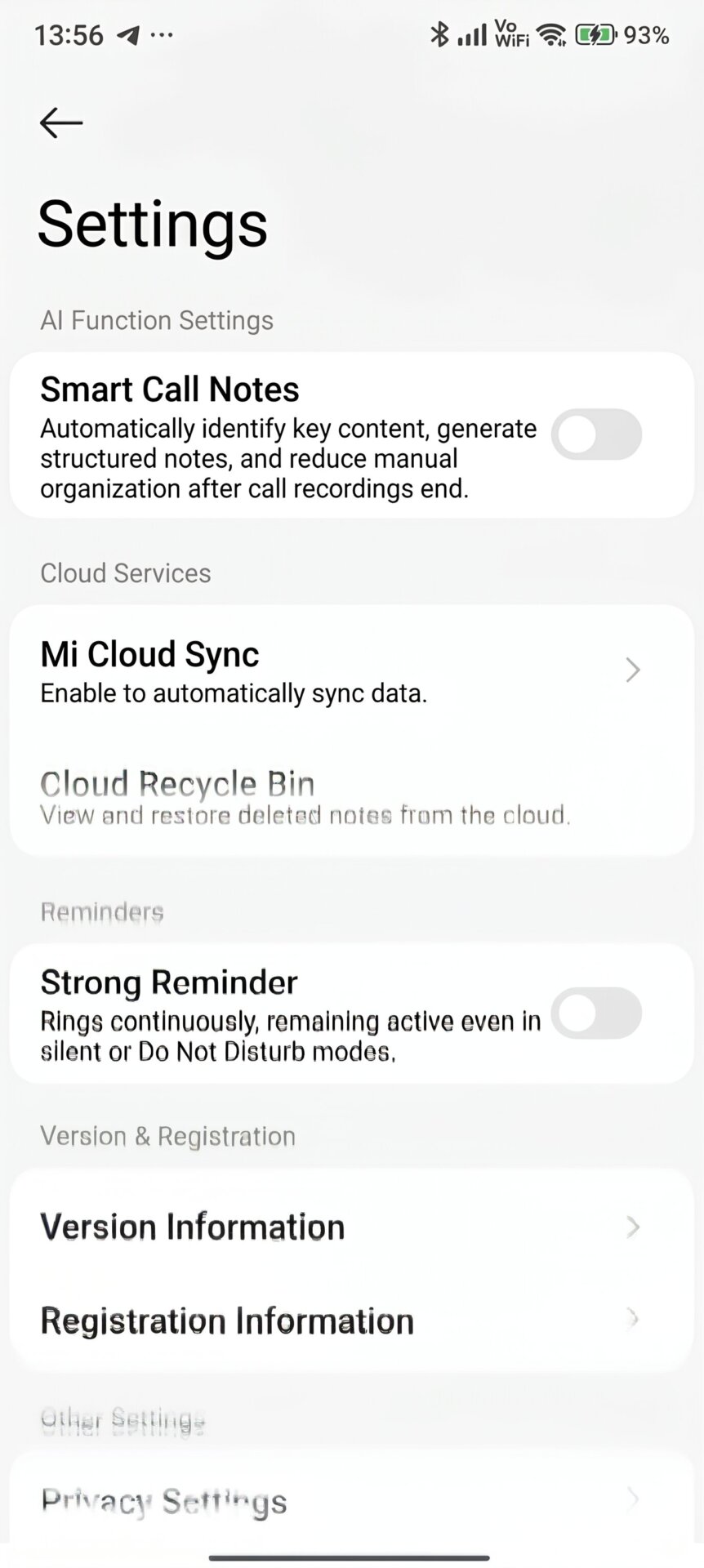
Smart Call Notes: Located in the settings menu, this feature is a game-changer. When activated, the system silently analyzes key points during phone calls. Once the call ends, it automatically generates a structured summary of the conversation, completely eliminating the need for manual note-taking.


User Experience
This new architecture completely revamps the ecosystem’s data organization. To utilize these offline AI features on older entries, the start screen mandates a “Convert Now” step to migrate existing data to the new database format. Furthermore, to prevent the system’s generated summaries from cluttering your personal workspace, a smart filtering system has been introduced. The main notes dashboard now allows for a strict separation between “My Created Notes” and “AI-Created Notes”.
How to Get the Update
If you want to experience these next-generation AI features before the official global rollout, you can manually sideload the latest test build right now. You can download the Xiaomi Notes 2.6.2.9 APK directly from our app repository at MemeOSUpdates.com.
Alternatively, for a much more streamlined installation process, you can easily check for, download, and manage the latest system app updates directly through our MemeOS Enhancer application, available now on the Google Play Store.



it on Chinese
how to check on english
why Chinese and ai its not working on old phones
absolutely trash and cant rollback
Notes 2629 are in Chinese, which version should I install for Greek and how? Do I need to uninstall and then install another version, and which one? Thank you!!!
Notes 2629 are in Chinese, which version should I install for Greek and how? Do I need to uninstall and then install another version, and which one? Thank you!!!
Notes 2629 are in Chinese, which version should I install for Greek and how? Do I need to uninstall and then install another version, and which one? Thank you!!!